Your Video Calls Look Amateur Without This Simple Home Office Fix
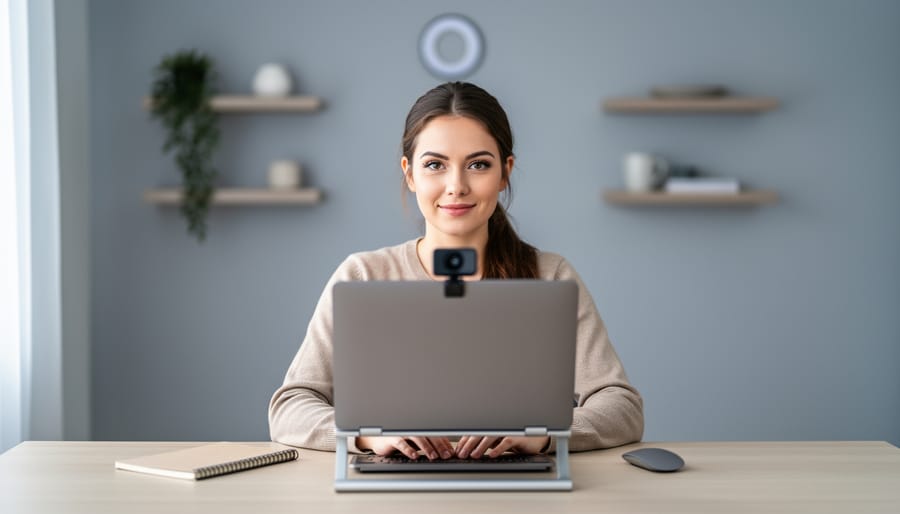
Position your camera at eye level with a clean, clutter-free wall behind you to instantly create a professional appearance that keeps meeting participants focused on your message rather than your surroundings. Choose a spot with soft, natural lighting from windows positioned to your side, or invest in a simple ring light to eliminate harsh shadows that distract from your presentation.
Transform any blank wall into a polished backdrop by hanging a solid-colored curtain, mounting floating shelves with minimal décor, or simply ensuring the space behind you stays organized and visually calm. Neutral tones like soft gray, beige, or light blue work best because they don’t compete for attention or create color casts on your face during calls.
Test your backdrop before important meetings by recording a quick video to check for distracting elements like visible laundry, unmade beds, or busy patterns that create visual noise on screen. Small adjustments make enormous differences—moving your desk just three feet can completely change what appears in frame.
Your video conferencing backdrop directly impacts how colleagues, clients, and potential employers perceive your professionalism and attention to detail. Whether you’re working from a home office, bedroom, or kitchen table, the right backdrop solution ensures you present yourself confidently during every virtual interaction. The good news? Creating an impressive video call background doesn’t require expensive equipment or major renovations. Simple, strategic changes to your setup deliver immediate results that elevate your remote work presence and help you stand out in today’s video-first professional world.
Why Your Video Conference Backdrop Actually Matters
You might think what’s behind you during a video call doesn’t really matter, but here’s the truth: it absolutely does. Within the first seven seconds of a virtual meeting, people form impressions about your professionalism, attention to detail, and credibility based largely on what they see on screen. Your backdrop is a silent communicator that speaks volumes before you even say hello.
Think about it from the other side of the camera. When you’re interviewing for a remote position, that pile of laundry or unmade bed in the background sends an unintended message about your organizational skills. Clients making decisions about six-figure contracts notice whether you’ve created a dedicated workspace or you’re clearly squeezing in calls from wherever you can find a spot. Your backdrop influences whether people perceive you as established and reliable or disorganized and unprepared.
The impact extends beyond first impressions too. During lengthy team meetings, colleagues subconsciously associate your environment with your work quality. A thoughtful, well-designed backdrop contributes to a professional home office appearance that reinforces trust and competence throughout every interaction. Real estate agents showing million-dollar properties need to look established themselves. Freelancers competing for projects often win or lose based on these visual cues.
Here’s the good news: creating an effective backdrop doesn’t require expensive equipment or a complete room makeover. It simply requires awareness and intentionality. The background should be clean, uncluttered, and appropriately lit without being distracting. It should complement rather than compete with you as the focal point.
The bottom line? In today’s remote-first world, your video background is part of your professional brand. It’s your digital handshake, your virtual storefront, and your office lobby all rolled into one. Investing a little time and thought into this space pays dividends in how others perceive and remember you.
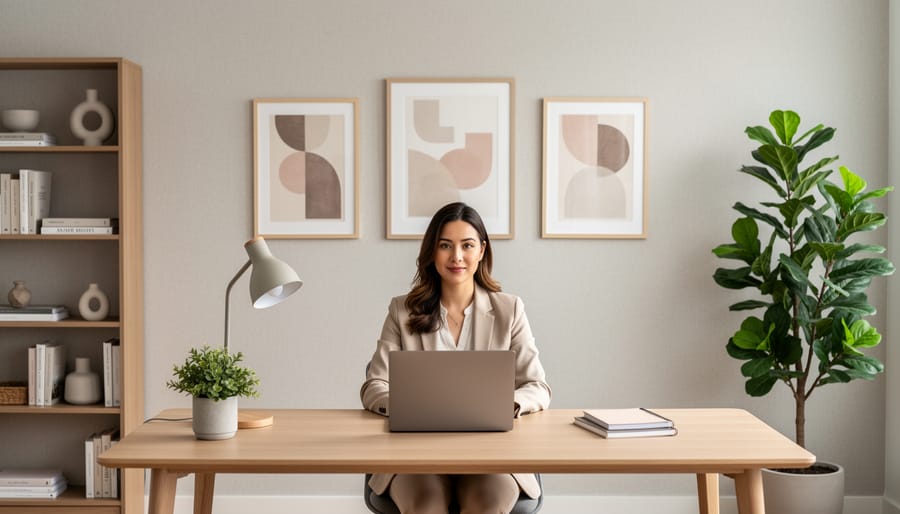
Finding the Perfect Spot: Choosing Your Video Conference Location
Natural Light vs. Artificial Light Considerations
Lighting can make or break your video conferencing presence, and understanding the difference between natural and artificial sources is essential. Natural light from windows provides beautiful, soft illumination, but positioning is everything. Never sit with a window directly behind you—this creates a silhouette effect that darkens your face and makes you appear unprofessional. Instead, position your desk so windows are to your side or in front of you, allowing natural light to illuminate your face evenly.
If your room lacks adequate natural light or you work during evening hours, artificial lighting becomes crucial. A proper lighting setup typically includes a primary light source positioned in front of you at eye level or slightly above. Ring lights or LED panels work wonderfully for this purpose and are surprisingly affordable.
Consider the color temperature of your artificial lights—aim for 5000-5500K for a natural, daylight appearance. Avoid overhead lighting alone, as it casts unflattering shadows under your eyes and nose. The goal is to create even, flattering illumination that complements your backdrop rather than competing with it. Test your setup by recording a quick video to check for shadows, glare, or overly harsh lighting before your next important call.
Space and Camera Angle Requirements
Getting your camera angle and distance right makes all the difference between a polished, professional appearance and an awkward, amateur setup. Position yourself about three to six feet from your backdrop to create natural depth and prevent harsh shadows. This distance also helps blur the background slightly, giving you a more pleasing, studio-like effect.
Set your camera at eye level or slightly above for the most flattering angle. This typically means elevating your laptop on a stand or positioning your webcam at the top of your monitor. Nobody wants to see up your nose during important meetings! Make sure there’s adequate space above your head in the frame—aim for about three to four inches of headroom to avoid that claustrophobic, cut-off look.
Check your framing by sitting in your usual position and ensuring the backdrop fills the entire area behind you. You shouldn’t see random bits of your room peeking around the edges. Test your setup by recording a quick video to spot any issues with lighting shadows or awkward angles before your next call.
Backdrop Options That Actually Work for Home Offices
Using What You Already Have: Walls, Bookcases, and Built-Ins
Before investing in new equipment, take a fresh look at what’s already in your space. A simple blank wall in a neutral color—white, beige, or soft gray—creates an instantly professional backdrop with zero effort. Position your desk 3-4 feet from the wall to add depth and avoid harsh shadows.
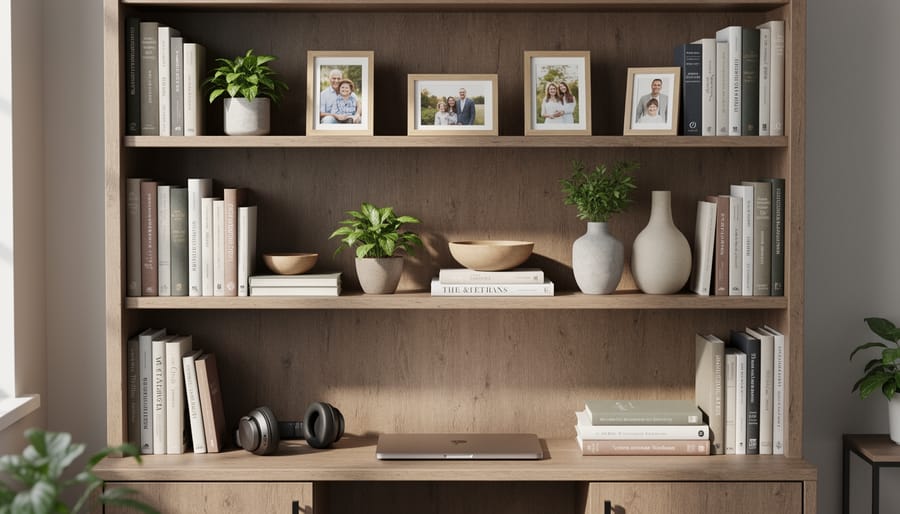
Bookshelves offer visual interest when styled thoughtfully. Arrange books by color or size for a clean look, and intersperse decorative objects like plants, picture frames, or pottery. Remove any clutter or personal items you’d rather not share with colleagues and clients. The key is creating organized symmetry—not a chaotic jumble.
Built-in shelving and architectural features like wainscoting or wood paneling add sophisticated texture to your background. These elements work especially well for home workspace design because they signal permanence and professionalism.
Quick styling tip: Center yourself in frame so architectural features or shelving appear balanced on both sides. Test your camera angle before important calls to ensure lighting doesn’t create unwanted glare on glass shelves or reflective surfaces. Sometimes the perfect backdrop is already behind you—it just needs a little thoughtful arrangement.
Physical Backdrop Solutions: Screens, Curtains, and Panels
When you need a more permanent or professional backdrop solution, physical backdrop systems offer versatility and impact. Portable backdrop stands are perfect for those who share spaces or work from different locations. These folding frames typically cost between $30-$150 and support fabric backdrops you can swap out for variety. Look for models with sturdy bases and quick-setup mechanisms—some fold as flat as a tripod.
Room dividers serve double duty by creating privacy while defining your video zone. Folding screens come in countless styles, from traditional Japanese shoji panels to modern geometric designs. They’re especially useful in studio apartments or shared home offices where you need flexible space management.
Curtain systems mounted on ceiling tracks provide the ultimate flexibility. Install a simple track system behind your desk area, and you can draw professional-looking curtains closed during calls, then open them afterward for natural light. Choose heavier fabrics in solid colors for the best camera appearance.
Acoustic panels deserve special consideration because they improve both your backdrop and audio quality. These foam or fabric-wrapped panels reduce echo and background noise while creating a clean, textured background. Mount them in attractive patterns or arrangements for visual interest. Many come in customizable colors to match your branding or decor, with prices ranging from $15-$50 per panel depending on size and quality.
Digital Backdrops and Virtual Backgrounds
Digital backgrounds can be lifesavers when your actual space isn’t camera-ready, but they work best when you have the right setup. You’ll need a computer with decent processing power—older laptops often struggle with the real-time rendering, causing lag or frozen screens. Good lighting is essential too; virtual backgrounds look most convincing when you’re evenly lit from the front.
The biggest challenge is edge detection around your head and shoulders. Without a physical green screen, most software uses AI to separate you from your background, which can create fuzzy halos or make parts of you disappear. This problem gets worse with busy patterns in your clothing, complex hairstyles, or poor lighting contrast.
For best results, position yourself 3-4 feet from any wall, wear solid colors that contrast with your background choice, and ensure your face is well-lit. Platforms like Zoom, Teams, and Google Meet all offer built-in virtual backgrounds, though quality varies. Test your setup before important calls, and have a simple physical backdrop as backup when technology decides not to cooperate.
Creating a Professional Look Without Breaking the Bank
DIY Backdrop Project: Simple Fabric Panel Installation
Creating a professional fabric backdrop is easier than you might think, and you probably already have some of the tools you need. Here’s how to build a clean, wrinkle-free backdrop that will elevate your video calls instantly.
Materials you’ll need:
– One piece of solid-colored fabric (6-8 feet wide, wrinkle-resistant polyester or cotton blend works best)
– Tension rod or curtain rod (match to your space width)
– Command hooks or wall brackets
– Fabric steamer or iron
– Scissors and measuring tape
Installation process:
First, choose your fabric color carefully. Solid colors in muted tones like gray, navy, or soft blue work beautifully on camera. Avoid bright white, which can cause glare, and pure black, which may appear too harsh.
Measure your wall space, leaving at least 2 feet of width beyond each shoulder when seated. Cut your fabric to size, allowing a few extra inches at the top for hemming if needed.
Steam or iron your fabric thoroughly before installation. Wrinkles are magnified on camera and undermine the professional look you’re creating.
Install your rod approximately 6-7 feet high using Command hooks for damage-free mounting, or wall brackets for a more permanent solution. Thread the fabric onto the rod, creating a pocket or using clip rings for easy removal and cleaning.
Hang the rod and adjust the fabric so it drapes smoothly behind your workspace. The bottom should reach close to the floor or just behind your desk line, depending on your camera angle.
Test your backdrop on a video call before your next important meeting, adjusting lighting and camera position for the best result.
Styling Tricks That Make Any Backdrop Look Expensive
Creating an elevated backdrop doesn’t require a designer’s budget. Start by applying the rule of thirds—position your camera so interesting elements fall roughly one-third from the edges rather than dead center. This creates visual interest without drawing attention away from you.
Curate your background elements thoughtfully. Choose three to five items maximum: perhaps a tasteful plant, a single piece of artwork, and a stylish lamp. Each piece should serve a purpose and complement the others in color or style. Avoid matching everything perfectly, which can look staged.
Add subtle personal touches that suggest professionalism without overwhelming the frame. A small collection of quality books, a simple vase, or understated decor pieces work beautifully. Keep items at varying heights to create depth.
Maintain visual balance by distributing visual weight evenly across your backdrop. If you have a tall plant on one side, balance it with a piece of wall art or shelving on the other. Leave breathing room—negative space makes everything look more expensive and intentional. Remember, what you leave out matters as much as what you include.
Common Backdrop Mistakes (And How to Fix Them Fast)
Even with the best intentions, backdrop blunders happen. The good news? Most are easy to fix with simple adjustments.
One of the most common mistakes is positioning yourself too close to your background. When you sit just inches from a wall, harsh shadows appear behind you, creating an unflattering halo effect. The quick fix: move your chair at least three feet forward. This distance softens shadows and adds pleasant depth to your video image.
Cluttered backgrounds rank as another frequent offender. That stack of books, laundry basket, or collection of random items pulls attention away from you and screams unprofessional. Take sixty seconds before each call to scan your backdrop. Remove anything that doesn’t serve a purpose or enhance your image. If you can’t clear the space, angle your camera differently or hang a simple curtain to hide the chaos.
Poor lighting often goes hand-in-hand with backdrop problems. A beautiful background means nothing if you’re sitting in shadow. Position your desk facing a window for natural light, or invest in an affordable ring light. Proper lighting makes even basic backdrops look polished and professional.
The dreaded floating head syndrome occurs when your backdrop lacks contrast with your clothing and skin tone. If you’re wearing white and sitting against a pale wall, you’ll appear to float in space. The simple solution: add contrast. Drape a colored blanket over your chair, switch shirts, or hang artwork that provides visual separation.
Busy patterns and bright colors create visual noise that distracts viewers and can cause weird digital artifacts on camera. Stick with solid, neutral tones or subtle textures. If you love color, add it through a single framed print or plant rather than an entire patterned wall.
Finally, forgetting to test your setup before important calls leads to last-minute panic. Spend two minutes joining a test meeting to see exactly what others see. This quick check catches problems before they matter.
Optimizing Your Complete Video Conference Layout
Your backdrop is just one piece of the professional video presence puzzle. To truly elevate your video calls, you need to consider the complete picture—literally. Let’s walk through the essential elements that work together to create that polished, professional look.
Start with camera positioning. Place your camera at eye level by stacking books under your laptop or investing in a simple monitor stand. This angle is universally flattering and creates a natural, conversational feel. Position yourself about an arm’s length away from the camera, allowing enough room to show your head, shoulders, and a bit of your backdrop without sitting too close or too far.
Lighting makes or breaks your video quality. Natural light from a window in front of you (not behind) works beautifully during daytime calls. For evening meetings or darker spaces, position a desk lamp or ring light at a 45-degree angle from your face. This eliminates harsh shadows and creates even, professional illumination. Many remote workers are discovering that proper lighting is even more impactful than expensive cameras.
Frame composition follows the rule of thirds. Position your eyes about one-third down from the top of the frame, leaving a small amount of headroom. Center yourself horizontally, ensuring equal space on both sides. This balanced composition feels natural and professional to viewers.
Finally, integrate these elements with thoughtful home office design trends to create a cohesive workspace. Test your complete setup before important calls by recording a quick video, checking for distracting elements, proper exposure, and clear audio. Small adjustments to any of these elements can dramatically improve your professional presence online.

Creating a professional video conferencing backdrop doesn’t require a complete home office renovation or a significant investment. As we’ve explored throughout this guide, simple adjustments can dramatically transform how you appear on camera and boost your professional credibility during virtual meetings.
Take a moment today to evaluate your current setup. Look at your background with fresh eyes—better yet, record a quick test video to see what others actually see during your calls. Is there distracting clutter? Poor lighting? An uninspiring blank wall? Identifying these issues is the first step toward improvement.
The good news is that solutions are readily accessible. Whether you choose a quick decluttering session, strategic furniture rearrangement, DIY shelving with thoughtful styling, or an affordable backdrop solution, you can achieve professional results immediately. Even small changes like adjusting your camera angle, adding a plant, or repositioning your desk lamp can make a noticeable difference.
Remember, your video presence matters in today’s remote-first world. It influences how colleagues, clients, and potential employers perceive you. By implementing the practical tips and techniques we’ve covered, you’re investing in your professional image without breaking the bank. Start with one improvement today, and you’ll be amazed at the transformation.