Why Your Google Smart Home Security System Isn’t as Safe as You Think
Your Google smart home security system protects your family and property, but only if you configure it correctly from day one. Start by enabling two-factor authentication on your Google account before connecting any devices—this single step blocks 99% of automated attacks targeting your cameras and doorbells. Next, create a separate Wi-Fi network exclusively for your smart home devices, isolating them from computers and phones that store sensitive personal information. Update your Nest camera firmware monthly through the Google Home app, as these patches fix vulnerabilities hackers actively exploit to access live feeds.
Position indoor cameras strategically to monitor entry points without capturing private spaces like bedrooms and bathrooms, balancing security needs with family privacy. Review your device sharing settings quarterly—former partners, houseguests, or contractors may still have access you’ve forgotten about. Set up activity zones in your camera settings to reduce false alerts and ensure you actually notice genuine security events among the noise.
The strongest security system fails if you ignore its alerts or disable features because they’re inconvenient. Customize notification preferences so you receive urgent alerts immediately while batching less critical updates. Enable end-to-end encryption for camera feeds in your privacy settings, preventing even Google from viewing your footage. Finally, integrate your security devices with Google routines that automatically arm cameras when everyone leaves and adjust settings based on time of day, creating consistent protection without constant manual intervention.
What Makes Google’s Security Ecosystem Different
The Core Components You Need to Know
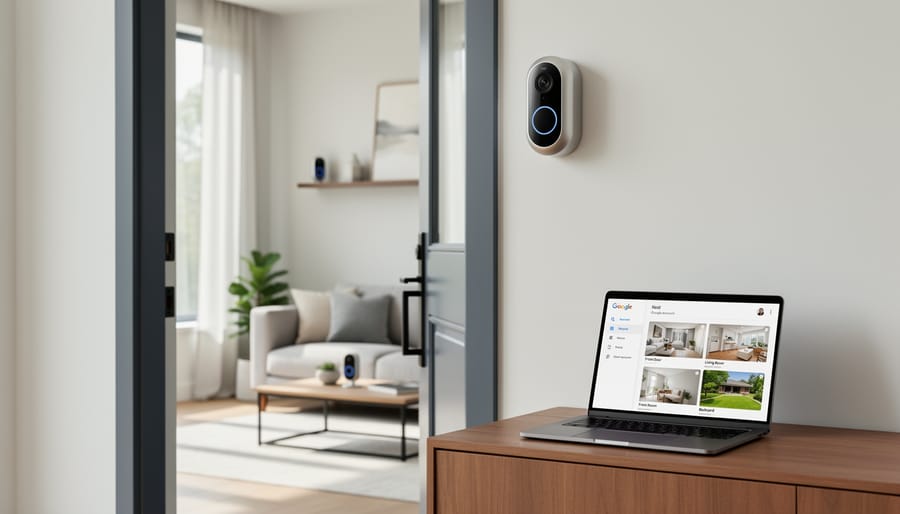
Google’s smart home security system centers around a few key devices that work together seamlessly. Think of them as your home’s digital security team, each with a specific role to play.
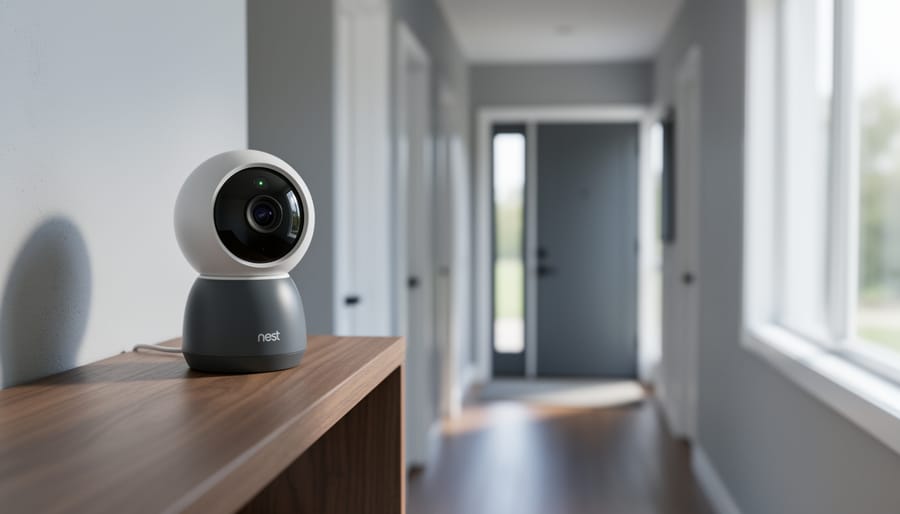
The Nest Cam is your eyes when you’re not home. These cameras come in indoor and outdoor versions, offering clear video feeds you can check from anywhere. They detect motion, recognize familiar faces, and send alerts to your phone when something’s happening. The newer models even distinguish between people, animals, and vehicles, which means fewer false alarms about that neighborhood cat.
Your Nest Doorbell acts as a smart greeter and gatekeeper. It captures video of visitors, lets you communicate with them through two-way audio, and records package deliveries. You’ll know exactly who’s at your door, even when you’re at work or on vacation.
The Nest Hub serves as your security command center. This smart display lets you view camera feeds with voice commands and provides a central touchpoint for controlling your entire system. It’s particularly useful in your kitchen or bedroom where you want quick visual access to your cameras.
Everything connects through the Google Home app on your smartphone. This is where you’ll set up devices, customize alerts, review video history, and manage your security preferences. The app brings all these modern security innovations together in one intuitive interface, making monitoring your home straightforward and stress-free.
How Everything Connects Through Your Google Account
Your Google Account serves as the command center for your entire smart home security ecosystem. Think of it as the digital key that unlocks access to your cameras, doorbells, locks, and sensors—all managed through a single login. When you’re integrating smart devices into your home, this centralized approach simplifies control but also means protecting your Google Account becomes absolutely essential.
Through your account, you control who sees what. Family members can receive doorbell alerts, while your house sitter might only access the thermostat. The Google Home app lets you adjust privacy settings for each device—disable camera recording during certain hours, manage video history, or turn off microphones when you’re home. You’ll also find activity logs showing when devices were accessed and by whom, giving you transparency over your system.
The convenience is clear: one password protects everything. But that’s precisely why securing this account with two-factor authentication and a strong, unique password isn’t optional—it’s your first line of defense for your entire smart home security system.
The Security Mistakes Most People Make
Weak Password Habits That Expose Your Home
Your Google smart home security system is only as strong as the password protecting it. Unfortunately, many homeowners unknowingly sabotage their own security with weak password habits that make it easy for hackers to gain access.
One of the most common mistakes is password reuse. You might use “Fluffy2019!” for your Google account, your email, and your online banking. If any one of those accounts gets breached, hackers now have the keys to everything, including your Nest cameras and smart locks. It’s like using the same physical key for your house, car, and office—convenient, but risky.
Weak passwords are equally problematic. Simple combinations like “password123” or “home2024” can be cracked in seconds. Even seemingly clever options like your street address or pet’s name are easy to guess with basic information from social media. Your Google account password should be at least 12 characters long, mixing uppercase and lowercase letters, numbers, and symbols.
The biggest missed opportunity? Not enabling two-factor authentication. This adds a second layer of verification, usually through your phone, so even if someone steals your password, they still can’t access your account without that second step. Think of it as adding a deadbolt to your front door—it only takes a minute to set up, but dramatically improves your security.
Setting strong, unique passwords and enabling two-factor authentication takes just a few minutes but protects your entire smart home ecosystem.
Sharing Access Without Understanding the Risks
Google’s smart home system makes it easy to share access with family members, house guests, and service providers through the Google Home app. While convenient, sharing control of your security system requires thoughtful consideration. When you grant someone home access, they can potentially control cameras, locks, alarms, and receive notifications about activity in your home.
Family sharing is ideal for household members who need full access, but remember that shared users can invite additional people, change settings, and view camera footage. For temporary guests like dog walkers or house cleaners, use guest access instead, which provides limited control without full administrative privileges. You can restrict which devices they access and set time limits.
Before sharing access, have an honest conversation about privacy expectations and boundaries. Can guests view bedroom cameras? Should they disable security when they arrive? These discussions prevent awkward situations and maintain trust.
The biggest risk comes from sharing with people who might not understand security best practices. If someone uses a weak password or loses their phone, your entire system becomes vulnerable. Regularly review who has access through the Home app settings, and immediately remove access when it’s no longer needed. This simple housekeeping step protects your home while maintaining the convenience of shared access.
Ignoring Privacy Settings and Default Configurations
When you first set up your Google smart home security system, it’s tempting to breeze through the installation and accept all the default settings. But here’s the thing: those defaults aren’t always configured with maximum privacy in mind. Taking just a few extra minutes to review these settings can make a significant difference in protecting your personal information.
Start by diving into your Google Home app and checking what data you’re sharing. Location services, for example, might be enabled by default, but do you really need your security cameras broadcasting your exact address? Similarly, review which devices have access to your microphone and camera, and disable any unnecessary permissions.
Pay special attention to activity tracking and ad personalization settings. Google may collect data about your home routines and device usage patterns. While this helps improve functionality, you can often limit what’s collected without sacrificing performance. Navigate to your Google Account privacy settings and adjust data collection preferences to match your comfort level.
Don’t forget about guest access and shared device settings either. If you’ve given family members or service providers access to your system, regularly audit who has permissions and remove anyone who no longer needs them. Think of it like changing your locks when you move into a new home—it’s just good security hygiene.
Setting Up Your System the Right Way From Day One
Creating a Fortress-Level Google Account
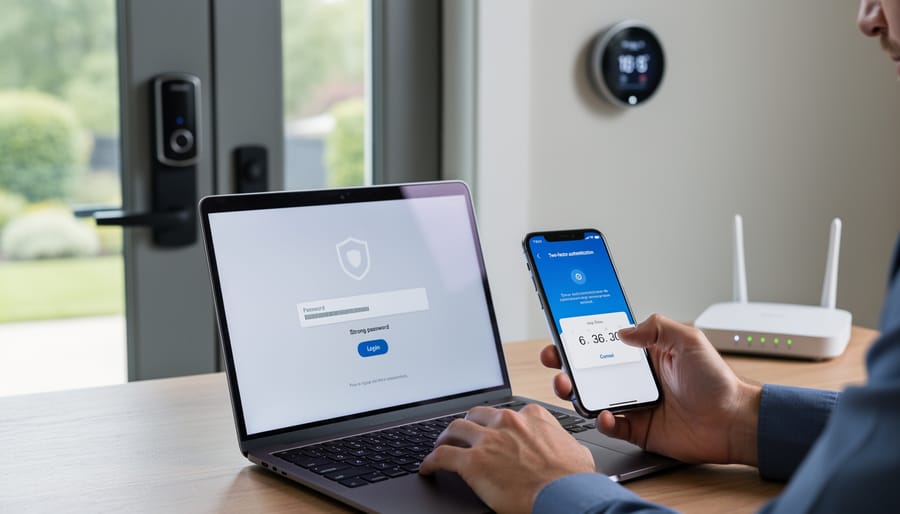
Your Google account is the digital key to your entire smart home security system, so let’s make it virtually unbreakable. Think of it as the front door to your home—you wouldn’t secure your physical entrance with a flimsy lock, right?
Start with a password that’s truly unique and complex. We’re talking at least 12 characters combining uppercase and lowercase letters, numbers, and symbols. Avoid obvious choices like birthdays or “Password123.” Better yet, use a reputable password manager to generate and store a random password you’ll never need to memorize. This single step dramatically reduces your vulnerability to hacking attempts.
Next, enable two-factor authentication immediately. This adds a second layer of verification beyond your password, typically through your phone. Even if someone discovers your password, they can’t access your account without that second authentication step. Google makes this easy to set up in your account security settings—it takes about two minutes and provides peace of mind worth far more.
Don’t skip setting up recovery options. Add a backup email address and phone number so you can regain access if something goes wrong. Review these quarterly to ensure they’re current.
Finally, conduct regular security checkups using Google’s built-in Security Checkup tool. It identifies potential vulnerabilities and walks you through fixes. Schedule this simple review every three months, treating it like changing your smoke detector batteries—just good preventative maintenance for your digital fortress.
Network Security Basics That Actually Matter
Your Google smart home security system is only as secure as the network it runs on. Start with your Wi-Fi password—make it unique and strong, mixing letters, numbers, and symbols. Avoid common phrases or personal information that’s easy to guess.
Here’s a game-changer: create a separate guest network specifically for your smart devices. Most modern routers offer this feature in their settings. By isolating your security cameras, doorbells, and smart locks from your main network, you protect your personal computers and phones if one device gets compromised. It’s one of those simple security steps that makes a real difference.
While you’re in your router settings, enable WPA3 encryption if available, or WPA2 at minimum. Disable WPS (Wi-Fi Protected Setup)—it’s convenient but creates security vulnerabilities. Also, change your router’s default admin password immediately. These basic tweaks take fifteen minutes but significantly strengthen your entire smart home setup, giving you peace of mind alongside convenience.
Configuring Your Devices for Maximum Protection
Getting the most from your Google security system means taking a few minutes to fine-tune each device. Start with camera placement—position them at entry points like front doors and garages, mounting them 7-9 feet high for the best angle. Avoid pointing cameras directly at windows to prevent glare and false alerts.
Next, set up motion detection zones through the Google Home app. This feature lets you highlight specific areas you want monitored while ignoring spots like busy sidewalks or swaying trees that trigger unnecessary notifications. Simply draw boxes over the zones that matter most to you.
Customize your notification settings to match your lifestyle. You might want instant alerts for your front door camera during work hours but prefer a daily summary for backyard activity. Adjust sensitivity levels if you’re getting too many or too few alerts—finding the sweet spot usually takes a week of tweaking.
Finally, enable person detection if your device supports it. This smart feature distinguishes between people, animals, and vehicles, dramatically reducing false alarms while ensuring you never miss important activity around your home.
Understanding What Google Sees (And Who Else Might)
Where Your Video Footage Actually Lives
When you capture video with your Google Nest camera or doorbell, that footage needs somewhere to go. Understanding your storage options helps you make informed decisions about protecting your home and managing your privacy.
By default, Google Nest devices offer event-based video history. Without a subscription, you’ll receive alerts when motion or sound is detected, but video clips aren’t automatically saved. You can still watch live streams anytime through the Google Home app, but there’s no rewind capability.
This is where Nest Aware subscriptions come into play. These cloud-based plans store your video footage on Google’s secure servers. The basic Nest Aware plan provides 30 days of continuous video history, while Nest Aware Plus extends that to 60 days. Both plans also include intelligent alerts that distinguish between people, animals, and vehicles, plus familiar face detection.
Cloud storage means you can access your footage from anywhere with an internet connection. There’s no need to worry about physical storage devices failing or being stolen during a break-in. However, you’ll need a reliable internet connection for uploads, and you’re trusting Google with your data.
Unfortunately, Google Nest cameras don’t currently support local storage options like SD cards or network-attached storage devices. Everything runs through the cloud, which simplifies setup but limits your choices.
Regarding data retention, your video footage remains accessible for the duration of your subscription period. If you cancel Nest Aware, you’ll lose access to saved video history, though live viewing continues working. Google automatically deletes footage after your retention period expires.
Privacy Controls You Should Enable Today
Taking control of your Google smart home’s privacy doesn’t require technical expertise—just a few minutes to adjust the right settings. Start by visiting your Google Account’s Activity Controls page. Here, you’ll find toggles for Web & App Activity, which tracks your interactions with Google services including your smart home devices. Consider pausing this feature or setting it to auto-delete activity every three months rather than keeping it indefinitely.
Next, tackle ad personalization settings. Google uses data from your smart home to build advertising profiles, but you can turn this off entirely. Navigate to your Ad Settings and disable ad personalization. You’ll still see ads, but they won’t be based on your smart speaker conversations or home routines.
For Nest cameras and doorbells, video history settings deserve special attention. Check your Nest app to see how long footage is stored. If you have a subscription, you can adjust retention periods or delete specific clips. This privacy protection technology gives you granular control over what’s kept and what’s discarded.
Finally, review Voice Match settings in the Google Home app. This feature prevents others from accessing your personal information through your smart speakers. Enable it for each household member, and consider setting up Guest Mode for visitors to use your devices without accessing your data.
Maintaining Security After Installation
The Monthly Security Checklist
Staying on top of security doesn’t have to be complicated. Set aside 15 minutes each month to run through these essential maintenance tasks that’ll keep your Google smart home security system running smoothly.
Start by updating your passwords and reviewing who has access to your system. If you’ve recently had contractors, housesitters, or guests staying over, now’s the time to revoke any temporary access you granted. Next, check for firmware updates in the Google Home app. While most updates happen automatically, it’s worth confirming everything’s current since these updates often include important security patches.
Take a few minutes to review recent footage from your cameras. Look for any blind spots that might have developed from shifted furniture or seasonal landscaping changes. This is also a great opportunity to test your doorbell and motion sensors to ensure they’re still positioned correctly and triggering as expected.
Finally, verify that your two-factor authentication is still active and that your backup recovery options are current. Think of this checklist as routine maintenance, just like changing your air filters. A little prevention goes a long way in protecting what matters most.
Recognizing and Responding to Suspicious Activity
Keeping your Google smart home secure means staying alert to warning signs that something’s not quite right. Your Google account will typically send email notifications about new sign-ins, so pay attention to these alerts, especially if they mention unfamiliar devices or locations you don’t recognize. If you receive a verification code you didn’t request, someone may be attempting to access your account.
Watch for unexpected changes in your system. Are your smart lights turning on at odd times? Is your thermostat adjusting without anyone touching it? These could indicate unauthorized access. Check your Google Home app regularly for devices you don’t recognize in your connected device list. If you spot something suspicious, remove it immediately.
Here’s what to do if you suspect a security breach. First, change your Google account password right away using a secure device. Enable two-factor authentication if you haven’t already, this adds an extra verification step that makes unauthorized access nearly impossible. Next, review your account’s security settings by visiting your Google Account page and checking recent activity under the Security tab. Remove any unfamiliar devices from your trusted devices list.
Sign out of all sessions simultaneously by using the “Sign out of all other sessions” option in your account settings. Finally, review which third-party apps have access to your Google account and revoke permissions for any you don’t use or recognize. Taking these steps quickly helps protect your home and personal information from potential threats.
Integrating Security With Your Home’s Design
Camera Placement That’s Both Effective and Attractive
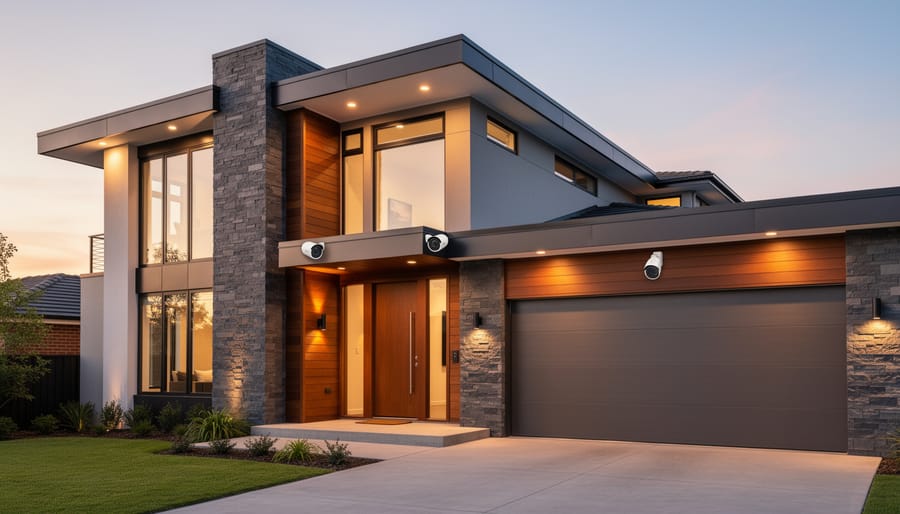
Strategic camera placement doesn’t mean sacrificing your home’s style. Start by identifying high-traffic areas like entryways, hallways, and main living spaces. Position cameras at corners where walls meet ceilings for optimal coverage while keeping them less obtrusive. White cameras blend naturally with ceiling trim, while black models can complement darker architectural features.
For outdoor cameras, mount them under eaves or alongside porch lights where they serve a functional purpose without dominating your home’s curb appeal. Consider the camera’s field of view when positioning—a well-placed device in a central location often works better than multiple poorly positioned ones.
Inside your home, think vertically. Placing cameras on high shelves or using corner mounts keeps them out of daily sightlines while maintaining security effectiveness. Integrate them near existing decor elements like picture frames or plants to create a cohesive look. The goal is making security cameras part of your overall smart tech aesthetics rather than afterthoughts.
Remember to avoid pointing cameras directly at windows, which can cause glare issues and reduce image quality, especially at night.
Smart Display Integration for Whole-Home Awareness
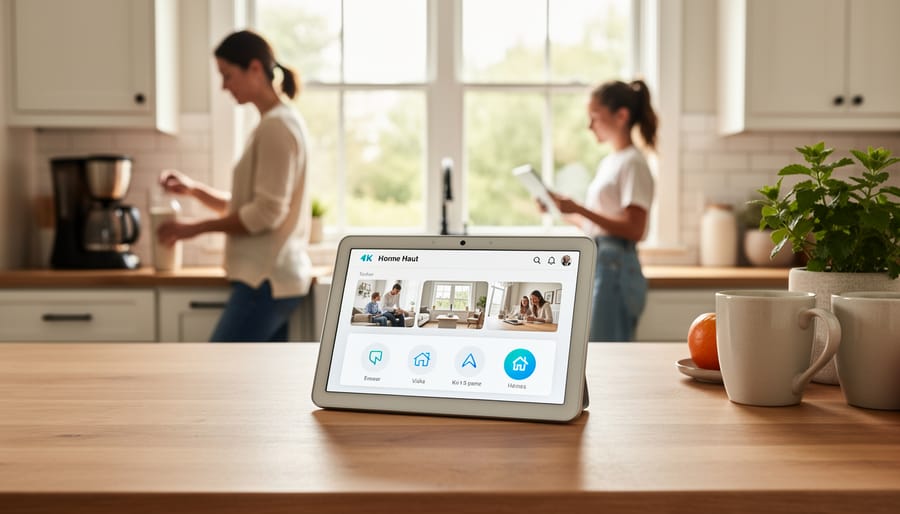
Nest Hubs and Google smart displays serve double duty as convenient information centers and security monitors throughout your home. These touchscreen devices can instantly show live camera feeds from any connected Nest camera with a simple voice command like “Hey Google, show me the front door.” This means you can check who’s at the door while cooking in the kitchen or see if the kids made it home while you’re working in your home office.
Strategically placing displays in high-traffic areas like the kitchen, bedroom, or entryway creates multiple monitoring points without needing to pull out your phone constantly. The visual element adds an extra layer of awareness that audio alerts alone can’t provide. You’ll see motion alerts pop up on screen in real-time, making it harder to miss important security notifications.
Beyond security monitoring, these displays integrate seamlessly with your daily routine. Use them for video calls, recipe lookups, or controlling smart lights and thermostats. The key advantage is having security information always visible and accessible. Set up routines so your display automatically shows camera feeds when motion is detected at night, or configure it to display a security dashboard when you leave home. This whole-home awareness approach transforms individual security devices into a unified, user-friendly system.
Here’s the truth: securing your Google smart home security system isn’t a one-and-done task. It’s an ongoing conversation between you and your technology. Just like you wouldn’t install a deadbolt and never check it again, your digital security needs regular attention and the occasional tune-up.
The good news? You don’t need to overhaul everything at once. Start small. Maybe today you’ll finally enable two-factor authentication on your Google account. Tomorrow, you might review which devices have access to your cameras. Next week, update those firmware settings you’ve been putting off. Each step forward is a win, and every improvement makes your home that much more secure.
Think of security awareness as part of your home maintenance routine, right alongside changing air filters or testing smoke detectors. Set a calendar reminder to review your security settings quarterly. Stay curious about new features Google releases. Keep an eye on security news, but don’t let it paralyze you with worry.
The reality is that informed homeowners are protected homeowners. You’ve already taken the most important step by learning about your system’s vulnerabilities and solutions. Now it’s time to put that knowledge into action. Pick one thing from what you’ve learned today and implement it right now. Your future self will thank you for it, and you’ll sleep better knowing your smart home is actually working smart for your security, not against it.