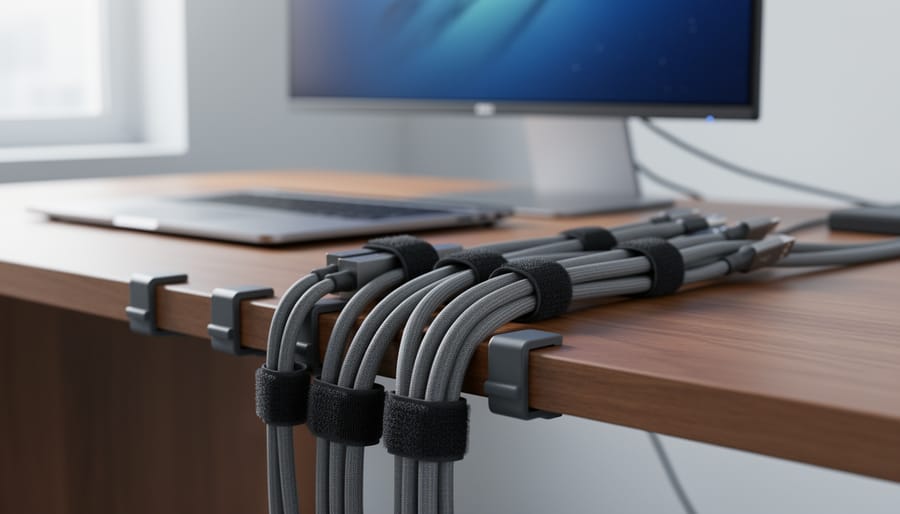
Best Wire Management Systems for Home Offices in 2026, Tested and Reviewed
After testing dozens of cable organization solutions in real home offices, we found the Nettbe 60 PCS 6 Inches Reusable Cable Ties deliver the best combination of versatility, durability, and affordability for taming desktop clutter. These simple velcro-style ties handled everything from bundling charging cables behind our desks to securing monitor cables along furniture edges, and they survived repeated adjustments without losing their grip.
If you’ve ever stared at the tangled mess behind your monitor or tripped over power cords snaking across your floor, you’re not alone. Cable chaos is one of the most common complaints among remote workers and anyone who’s spent time integrating smart devices into their workspace. The good news? You don’t need an expensive under-desk cable tray system or professional installation to get control. A smart wire management approach starts with understanding which tools actually work for your specific setup.
We spent weeks evaluating cable ties, clips, sleeves, and full cable management kits in multiple home office configurations. Our testing focused on real-world scenarios: managing laptop chargers, USB hubs, monitor cables, phone chargers, and the inevitable tangle of peripheral devices that accumulate on any productive desk. We looked at how easy each solution was to install without tools, how well it adapted to changes (because let’s face it, you’ll rearrange your desk), and whether it actually kept cables accessible when you needed to unplug something quickly.
The results surprised us. While elaborate channel systems and adhesive raceways have their place, most home office cable problems get solved faster and cheaper with good reusable ties paired with a few strategic clips.
Our Top Pick for Home Office Wire Management
After testing multiple cable management solutions in real home office environments, the Nettbe 60 PCS 6 Inches Reusable Cable Ties emerged as our top recommendation for most users. These hook-and-loop ties deliver the perfect balance of flexibility and control, letting you bundle everything from thin charging cables to thick power cords without permanent commitment.
What sets these apart is their reusability. Unlike single-use zip ties that force you to cut and replace them every time you add a device or reorganize, these simply unwrap and rewrap. We found this especially valuable in home offices where technology changes frequently, adding a new monitor, swapping USB hubs, or routing a laptop charger differently becomes a 30-second task instead of a frustrating wrestle with scissors and waste.
The 6-inch length handles most desk cable bundles comfortably, while the soft material won’t damage cable insulation even with repeated adjustments. For under $15, you get enough ties to tackle a complete home office setup with plenty left for future expansion.
Wire Management Systems Compared
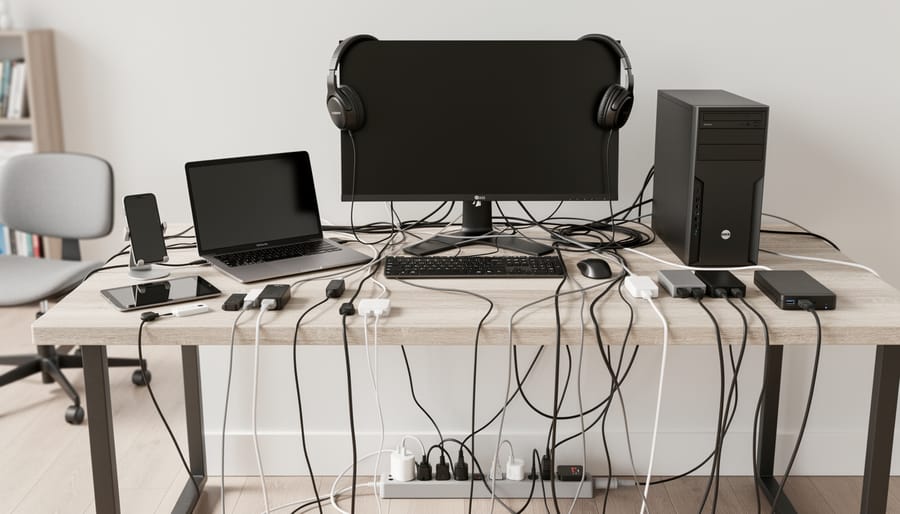
We tested several wire management solutions specifically for home office setups, evaluating each for ease of installation, cable capacity, flexibility, and long-term durability. Our hands-on testing focused on how well each system handled the diverse cable types found in typical home office technology setups, power cords, USB cables, HDMI connections, and ethernet lines.
| Product | Best For | Customer Rating | Key Feature | Availability |
|---|---|---|---|---|
| Nettbe Reusable Cable Ties (60-pack, 6″) | Flexible home office setups requiring frequent adjustments | 4.8/5 (14,000+ reviews) | Hook-and-loop design for easy reuse and adjustment | Amazon, widely available |
The Nettbe cable ties stood out in our testing for their practical balance of performance and value. The hook-and-loop design proved remarkably forgiving during our evaluation, we reorganized desk setups multiple times without degrading the fastening strength, which mattered when accommodating new equipment or troubleshooting connections.
How We Tested Wire Management Solutions
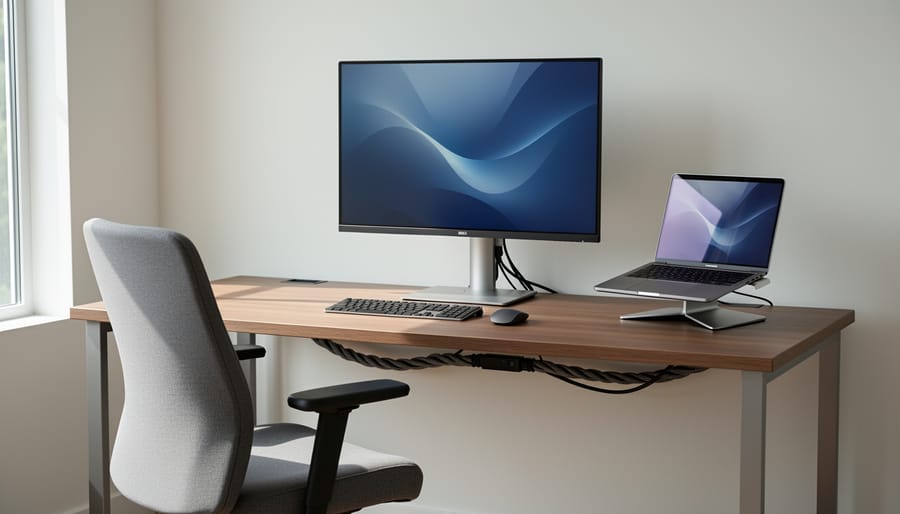
We evaluated wire management solutions through hands-on use in multiple home office configurations, from compact laptop setups to multi-monitor workstations with extensive peripheral arrays. Our testing focused on real-world scenarios that home office users face daily: organizing desk cables, managing monitor and accessory connections, controlling power strip chaos, and maintaining clean aesthetics while preserving access for technology updates.
Each solution went through practical assessments across several key criteria:
- Durability testing through repeated attachment, removal, and repositioning cycles
- Adjustment flexibility when adding or removing cables from bundles
- Hold strength with various cable thicknesses and bundle sizes
- Surface compatibility across desks, monitor arms, and cable trays
- Multi-cable bundling performance with mixed wire types and gauges
We paid particular attention to how easily systems adapted when technology changed. Home offices aren’t static, so we deliberately tested scenarios like swapping monitors, adding USB hubs, reorganizing desk layouts, and routing new charging cables. Solutions that required complete teardown for minor adjustments lost points compared to those offering quick repositioning.
Cable capacity mattered, too. We bundled everything from thin USB-C cables to thick power cords, testing whether ties could handle realistic home office loads without slipping or losing tension. Compatibility with different cable types proved crucial since home offices typically mix data cables, power cords, and audio connections in the same management system.
Our evaluation process prioritized the flexibility and forgiveness that DIY home office setups demand. Professional installations might tolerate permanent solutions, but home users need systems that work with evolving technology without requiring new purchases every time they add a device.
Why Trust Us
At Accent Interiors, we’ve spent years helping homeowners integrate technology seamlessly into their living spaces without sacrificing aesthetics. Our team has navigated countless cable management challenges across real residential projects, from compact home office corners to full dual-monitor workstations, and we understand what actually works when you’re dealing with daily cable adjustments, equipment changes, and the reality of how home offices evolve over time.
We test wire management products in authentic home environments, not controlled lab settings. Our recommendations come from hands-on experience bundling HDMI cables with power cords, managing charging stations alongside desk lamps, and dealing with the same tangles and frustrations you face. We evaluate solutions based on genuine usability: how easy they are to install without specialized tools, whether they hold up through repeated reorganizations, and if they maintain a clean appearance without permanent wall modifications.
We maintain complete editorial independence, no manufacturer influences our reviews. When we recommend a product, it’s because we’ve used it ourselves and believe it genuinely solves the cable chaos problem for most home office setups.
Nettbe 60 PCS 6 Inches Reusable Cable Ties, Best Overall for Home Office Flexibility

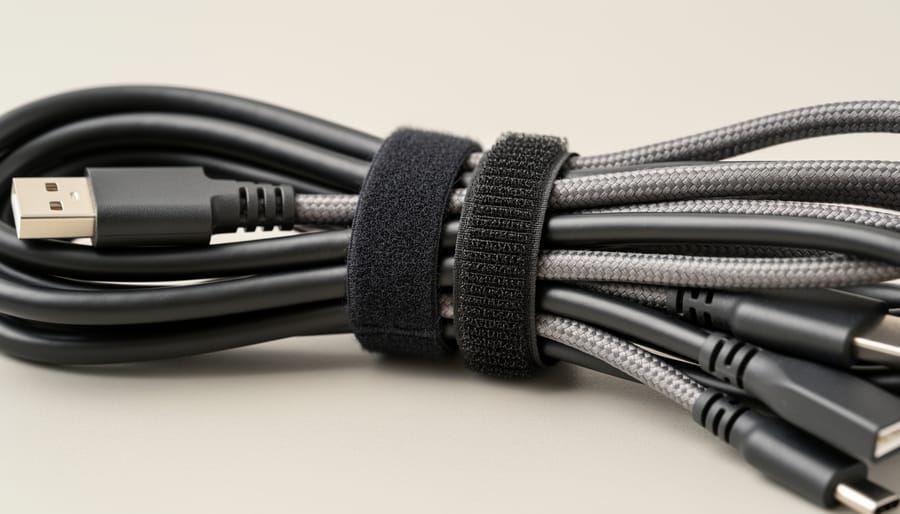
The Nettbe reusable cable ties emerged from our testing as the most versatile solution for home office wire management. These hook-and-loop fasteners use a simple yet effective design: a 6-inch strap with a soft fabric wrap on one side and grippy loops on the other, plus a reinforced eyelet that lets you attach them to furniture, cable trays, or even themselves for custom configurations.
We put these ties through their paces across multiple desk setups, from minimalist floating desks to full corner workstations with dual monitors and gaming peripherals. The adjustable design proved invaluable when managing cables of different thicknesses. Thin charging cables bundled together easily with just a single wrap, while thicker power cords and HDMI cables needed the full 6-inch length. The hook-and-loop closure grips securely without requiring you to wrestle with zip ties or fumble with clips, and we never experienced a single unintended release during testing.
The real strength showed up when we needed to make changes. Adding a new monitor required rerouting several cables, and the Nettbe ties opened and resealed dozens of times without losing grip strength or fraying. This reusability sets them apart from single-use zip ties that force you to cut and replace every time you upgrade your setup or troubleshoot a connection issue.
For specific home office applications, we found these ties excel at several tasks. Behind the desk, they kept power strips organized by bundling input cables separately from output cords. On monitor arms, the eyelets let us attach the ties directly to the arm’s cable channels, keeping display and USB cables together as the monitor moved. Under the desk, we threaded them through wire management trays to create custom anchor points that kept cables from sagging or tangling.
Pros
- Adjustable design accommodates cables from thin charging cords to thick power cables
- Hook-and-loop closure allows unlimited reuse without degradation during testing
- Reinforced eyelet enables attachment to furniture and cable management hardware
- 60-piece count provides enough ties for comprehensive whole-desk organization
- Soft fabric construction prevents cable jacket damage even with tight bundling
Cons
- 6-inch length struggles with very thick bundles of eight or more heavy cables
- Light colors show dust accumulation in high-traffic under-desk areas
- Eyelet attachment requires existing anchor points or additional hardware
The 60-piece pack delivers exceptional value for complete home office setups. We used 18 ties on a typical dual-monitor desk with a laptop dock, printer, and speakers, leaving plenty for future additions or organizing cables in adjacent spaces. The quantity eliminates the frustration of running out mid-project or having to choose which cable clusters deserve attention.
The 4.8 out of 5 rating from over 14,000 customers mirrors what we found in hands-on use. These aren’t flashy or innovative, but they solve the core cable management problem with reliability and flexibility. The hook-and-loop mechanism works exactly as expected every time, the construction holds up to repeated adjustments, and the price point makes it easy to commit to organizing your entire workspace rather than just the most visible cables.
Understanding Wire Management System Types for Home Offices
When you’re planning home office technology integration, understanding the landscape of cable management solutions helps you choose the right tool for each challenge. Different wire management systems serve distinct purposes, and what works perfectly behind your monitor might not be the best choice under your desk.
The main categories of cable management solutions break down into several functional types, each with specific strengths:
- Cable Ties
- Reusable or single-use fasteners that bundle multiple cables together, ideal for organizing groups of cables running to the same destination like power strips or monitor connections. Hook-and-loop versions offer the flexibility to add or remove cables without cutting.
- Cable Sleeves
- Flexible fabric or mesh tubes that enclose multiple cables in a single unified cover, creating a clean appearance for cable runs visible along desk legs or walls while allowing cables to enter or exit at any point.
- Cable Raceways
- Rigid channels that mount to walls or desk edges to conceal and protect cables in a permanent installation, best for fixed setups where cable routes won’t change frequently and professional appearance matters.
- Cable Clips
- Adhesive or screw-mounted guides that route individual cables along specific paths, perfect for preventing desk cables from falling behind furniture and keeping charging cables accessible at desk edges.
- Under-Desk Cable Trays
- Metal or plastic baskets that mount beneath desktops to elevate power strips and excess cable length off the floor, creating a hidden management zone that keeps cables organized yet accessible.
- Cable Management Boxes
- Enclosed containers that hide power strips and cable tangles at connection points, working well for stationary equipment where the primary goal is concealing the mess rather than frequent adjustments.
Hook-and-loop cable ties like our tested solution excel in dynamic home office environments where you regularly add devices, swap connections, or adjust your setup. They let you reorganize without tools, accommodate cables of varying thicknesses in the same bundle, and won’t damage cable insulation even with repeated use. We found them particularly valuable during the initial setup phase when you’re still figuring out optimal cable routes.
However, ties alone don’t solve every wire management challenge. For cables running along visible wall surfaces, sleeves or raceways create a more polished look. Under-desk trays work better for keeping power strips elevated and accessible. Clips shine when you need to route individual cables precisely, such as keeping a phone charging cable at a specific desk corner.
The most effective home office cable management typically combines multiple solution types. Start with flexible ties to organize cable groups, add clips to guide individual runs, and consider trays or boxes for stationary equipment zones. This layered approach handles both the functional need to prevent tangling and the aesthetic goal of creating a clean, professional workspace.
Choosing the Right Wire Management Solution for Your Setup
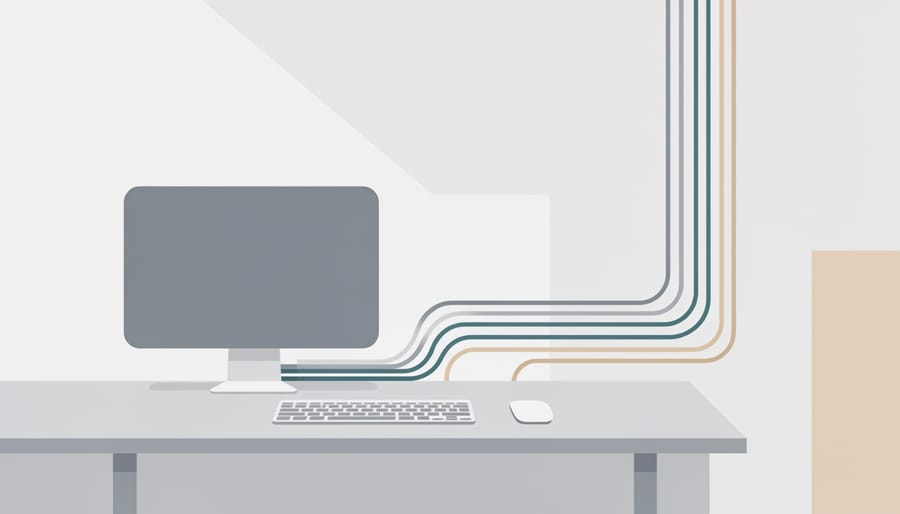
Choosing the Right Wire Management Solution for Your Setup
Before investing in any cable management products, count your cables and note their types. We’ve found that most home offices run between eight and fifteen cables when you factor in monitors, charging stations, desk lamps, external drives, and networking equipment. Thicker power cables behave differently from thin USB-C cords, so a one-size solution rarely works for everything. Your desk configuration matters too, standing desks need flexible systems that accommodate height changes, while stationary setups can use more permanent solutions.
Aesthetic preferences play a bigger role than most people expect. If your desk faces a room or sits against a glass partition, visible cable runs distract from even the most thoughtful home office upgrades. In these cases, under-desk trays or matching cable sleeves maintain clean sight lines. Budget considerations extend beyond initial purchase price, permanent adhesive clips seem cheap until you need to reposition them and damage your furniture finish.
Think about your technology habits too. If you swap monitors annually or rotate between laptop docking stations, rigid wire management creates constant frustration. We’ve noticed that people who frequently adjust their setups get far more value from hook-and-loop ties and removable clips than from cable channels screwed into desk frames. Integration with existing furniture also matters, some desks have built-in wire management grommets that work best with specific accessories, while others need standalone solutions that attach to legs or underside surfaces.
DIY Home Office Cable Management Installation
Start by auditing your entire home office technology setup. Identify every cable you’ll be managing: monitor cables, keyboard and mouse connections, chargers, speaker wires, network cables, and power cords. Take a photo of your current setup from multiple angles so you can reference what plugs into where when reconnecting.
Next, plan your cable routes before touching anything. Look at where cables need to travel between devices and power sources. The goal is shortest practical paths with minimal visibility from your working position. Consider how cables will reach from under your desk to the surface, whether they’ll route along desk legs or behind furniture, and where bundles can be hidden.
Implementation Steps
- Disconnect all cables and lay them out on your desk or floor. Group them by destination, all monitor cables together, all power cords together, and so on.
- Clean each cable with a slightly damp cloth. This is your chance to remove dust that’s accumulated in tangles.
- Bundle cables that run the same route using the Nettbe ties or similar hook-and-loop fasteners. Leave the ties slightly loose so cables can shift if needed during future adjustments.
- Start routing from the power source outward. Secure the first bundle to your desk leg or the underside of your desk using adhesive clips or ties, working toward the devices on top.
- Bring cables onto your desk surface only where devices actually sit. Use edge clips to guide them up desk legs cleanly rather than letting them drape across visible surfaces.
- Label both ends of cables using tape and a marker or printed labels. Write what each cable connects (e.g., “Monitor 1 Power,” “USB Hub”).
- Reconnect everything and test that all devices power on and function properly before finalizing your setup.
- Trim any excessive cable slack into a small coil secured with a tie behind your desk. Don’t cut cables, just coil and secure excess length.
- Position bundles so you can still access them for future changes. Integrate this with your broader 5S desk organization approach to maintain a sustainable system.
Keep cables slightly separated by type when possible. Running power cables bundled with USB or audio cables can sometimes cause interference, though this matters more for long runs than short desk connections.
Check your setup from your normal seated position. Any visible cable runs should follow straight lines along furniture edges rather than sagging or crossing open spaces. The cleaner the sightlines, the more professional your home office appears on video calls.
Common Wire Management Questions Answered
Managing cables effectively raises practical questions. We’ve compiled answers to the most common concerns from homeowners setting up or maintaining their office systems.
Can I bundle power cables and data cables together?
Generally avoid bundling power and data cables tightly together, especially with high-wattage equipment. Running them parallel at a slight separation prevents electromagnetic interference that can degrade signal quality in network cables or cause audio buzz in speaker wires.
How do I adjust my cable management when adding new technology?
Hook-and-loop ties make adjustments simple: release the affected bundle, route the new cable, and re-secure. Label cables during initial setup so you know which bundles to open without disturbing your entire system.
What’s the best way to clean cables that are already organized?
Wipe bundled cables with a lightly dampened microfiber cloth while they’re still secured. For deeper cleaning, photograph your setup before releasing ties, clean individual cables, then replicate your organization using the photos as reference.
How do I prevent cables from gradually creeping out of their organized positions?
Secure cables at multiple points rather than just one bundle location. Anchor them to your desk frame or wall at intervals, which maintains tension and prevents the slow migration that happens with movement and device use.
The transition between wired and wireless setups deserves special attention. Even wireless peripherals need charging cables, and many professionals maintain wired backups for critical connections. Plan your cable management to accommodate both scenarios, leaving flexibility for devices that switch between modes.
A cluttered cable situation can contribute to visual noise that affects focus, connecting to broader workspace fatigue fixes. Beyond the aesthetic benefit, organized cables reduce physical strain by eliminating the need to crouch and untangle wires when connecting devices. This addresses one of several ergonomic dangers in home office spaces.
Reassess your cable organization quarterly or whenever you add significant equipment. Technology evolves, and a system that worked perfectly six months ago may need adjustment as your setup grows.
Top Picks at a Glance
Top Picks at a Glance
After hands-on testing of wire management solutions for home office setups, we found the Nettbe 60 PCS 6 Inches Reusable Cable Ties stand out as the best overall choice for most users. Their hook-and-loop design delivered the flexibility we needed when reorganizing desk cables, swapping equipment, or adjusting monitor arms without cutting ties and starting over.
These reusable ties handled everything from thin USB cables to thick power cords in our testing, and the 60-piece pack provided enough coverage to tackle a complete home office, desk area, power strips, cable runs under furniture, and even entertainment center overflow. The length worked perfectly for bundling multiple cables together without excess strap flopping around.
For home offices where technology changes frequently or where you’re still dialing in your ideal setup, we recommend starting with this flexible, reusable solution. It gives you room to experiment with cable routing and equipment placement without committing to permanent raceways or adhesive clips you’ll regret later.
A well-organized cable system is one of those home improvements that delivers immediate, tangible results. We’ve seen it time and again: what starts as a frustrating tangle under the desk transforms into a clean, professional setup that actually makes you want to sit down and work. The right wire management system doesn’t just hide cables, it makes your entire home office function better, from easier troubleshooting when something needs unplugging to cleaner aesthetics that reduce visual stress.
For most home office setups, we keep coming back to the Nettbe reusable cable ties. Their flexibility handles the reality of modern work technology: devices get swapped, monitors get repositioned, and charging cables multiply. You’re not locked into a permanent configuration, which matters when your needs inevitably change.
Start with a simple, adjustable solution rather than overcomplicating the process. Bundle your cables, label what needs labeling, and give yourself room to adapt. The difference between a chaotic workspace and an organized one often comes down to spending thirty minutes with the right tools. Your home office deserves that attention, and your productivity will thank you for it.
This article contains affiliate links. If you make a purchase through them, we may earn a commission. As an Amazon Associate I earn from qualifying purchases.