What Are Smart Home Security Solutions (and How Do They Work)?
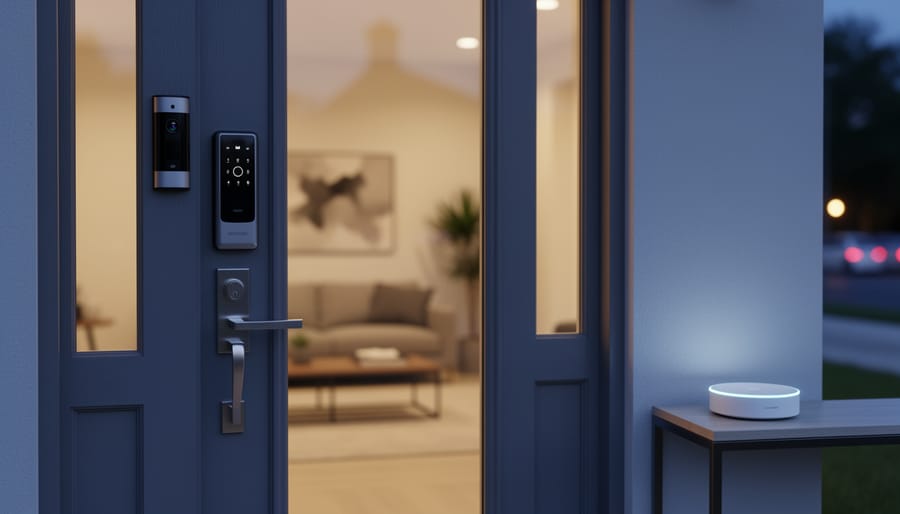
A smart home security solution is an integrated network of connected devices that monitors, alerts, and protects your home through sensors, cameras, locks, and centralized control systems accessible from your smartphone or tablet. Unlike traditional alarm systems that simply sound a siren, these solutions let you see who’s at your door, lock it remotely, and receive instant alerts about unusual activity whether you’re upstairs or three states away.
The appeal is clear: peace of mind paired with convenience. You can check camera feeds during vacation, let in a contractor while at work, or verify that you actually locked the back door after leaving. For homeowners in 2026, these systems have moved well beyond luxury status. They’re now affordable, DIY-friendly, and designed to work together without requiring a computer science degree or expensive professional installation.
What makes modern smart security particularly compelling is the level of customization available. You’re not locked into a single brand’s ecosystem anymore. Mix a video doorbell from one manufacturer with motion sensors from another and smart locks from a third, all controlled through a central hub or app. This flexibility means you can start small with a single camera or doorbell and expand as your needs and budget allow.
This guide walks through exactly what smart home security includes, how the technology actually works behind the scenes, the core components you’ll encounter, and practical ways to deploy these systems in real homes. You’ll also find straight talk about energy use and sustainability, concerns that matter more each year as we add connected devices to our daily lives.
What Smart Home Security Really Means
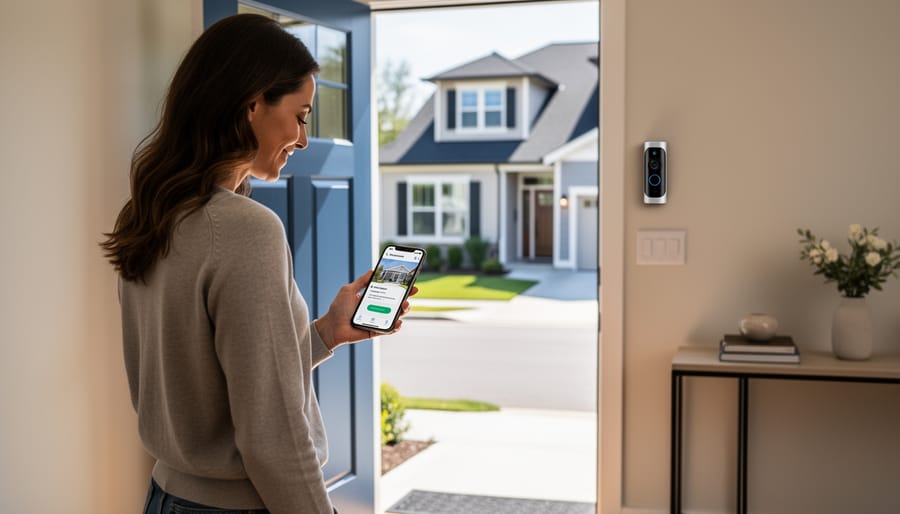
Smart home security moves beyond the simple alarm systems of decades past. Instead of standalone devices that sound a siren when a door opens, today’s systems connect multiple components through your home network, letting you monitor, control, and respond to security events from anywhere. The “smart” part comes from intelligent sensors that learn your patterns, cameras that distinguish between your dog and an intruder, and systems that send real-time alerts to your phone when something unusual happens.
Traditional security required you to be home to know what was happening. Modern systems give you eyes and ears on your property 24/7, whether you’re upstairs, at work, or across the country. You can check live camera feeds, lock doors you forgot to secure, and even speak to delivery drivers through your doorbell, all from a single app.
Here are the core concepts that define smart security:
- Smart Sensors
- Devices that detect motion, door/window opening, glass breaking, or environmental changes and communicate this data wirelessly to your security system. They’re battery-powered or solar-charged, eliminating the need for extensive wiring.
- IoT Connectivity
- The network that allows your security devices to talk to each other and to you through the internet. This Internet of Things integration enables cameras, locks, and sensors to work as one coordinated system rather than separate tools.
- Cloud Storage
- Video footage and security logs saved to remote servers instead of local hard drives. This protects your recordings even if someone steals your equipment and reduces the need for power-hungry on-site storage devices.
- Remote Access
- The ability to view cameras, receive alerts, arm/disarm your system, and control locks from anywhere using your smartphone or computer. This turns your phone into a portable security command center.
- Sustainable Security Design
- Systems engineered to minimize energy consumption through solar power options, efficient processors, and smart scheduling that reduces unnecessary recording. These security innovations protect both your home and the environment.
The sustainability angle matters more in 2026 than ever before. Energy-efficient cameras, rechargeable batteries, and systems that integrate with your home’s energy management reduce your carbon footprint while keeping you safe. You’re not choosing between protection and environmental responsibility anymore, the best systems now deliver both.
How Smart Security Systems Work
When motion catches a sensor’s attention or a camera detects movement, the sequence happens fast. The sensor or camera fires a signal to your system’s central hub, think of this as the brain coordinating everything. That hub processes the information instantly, deciding whether it’s a genuine alert or just your cat wandering past.
The signal travels through your home network using one of several communication protocols. Most cameras rely on Wi-Fi, sending video directly to your phone or cloud storage. Many sensors use Z-Wave integration or Zigbee instead, which consume far less power and create a mesh network where devices relay signals to each other. This redundancy means if one path fails, the signal finds another route.
Once the hub confirms an event worth noting, it pushes alerts to your smartphone. You get a notification, often with a snapshot or short video clip. Simultaneously, the system starts recording. Footage either saves locally to an SD card or hard drive, or streams to cloud servers where it sits encrypted and accessible from anywhere.
Power sources vary by component. Cameras typically plug into outlets, though solar-powered outdoor models pair panels with rechargeable batteries for wire-free installation. Sensors run on coin-cell or AA batteries lasting months to years, depending on activity levels. For whole-home backup during outages, some homeowners connect their security hub to home battery storage systems, keeping cameras rolling even when the grid drops.
The data management piece matters too. Clips stored in the cloud stay available for days or weeks, depending on your subscription plan. Local storage gives you unlimited retention but requires manual backups. Either way, encryption protects your footage from prying eyes during transmission and storage, keeping your home’s comings and goings private.
Core Components of a Smart Security System
Cameras and Video Doorbells
Modern security cameras and video doorbells pack impressive capabilities into compact designs. Resolution matters most for identifying faces and license plates, look for 1080p as a baseline, with 2K or 4K offering sharper detail if your budget allows. You’ll pay more upfront but gain clearer evidence when it counts.
Night vision separates mediocre cameras from reliable ones. Infrared LEDs illuminate dark areas without visible light, while newer color night vision uses ambient light for more detailed footage. Check the effective range, most cover 20 to 30 feet, enough for typical driveways and porches.
Field of view determines how much area one camera captures. Wide-angle lenses (130-180 degrees) reduce blind spots but can distort edges. Narrower views (90-110 degrees) provide clearer detail in focused areas like doorways.
Two-way audio turns cameras into intercoms. You can greet delivery drivers, warn off prowlers, or chat with family through your phone. Audio quality varies widely, so check reviews for clarity.
Solar charging and rechargeable batteries eliminate wire-running and reduce energy costs. Position solar panels where they’ll catch six hours of sun daily for continuous operation.
Sensors and Detectors
Motion sensors form the backbone of most smart security systems, using passive infrared (PIR) technology to detect body heat and movement within a defined zone. Modern sensors can distinguish between people, pets, and passing vehicles to reduce false alerts, a crucial feature if you have a dog or cat roaming at night.
Contact sensors attach to doors and windows, triggering alerts when the magnetic connection breaks. They’re simple but effective, especially for ground-floor entry points and sliding glass doors that intruders commonly target.
Glass break sensors listen for the specific frequency of shattering glass, providing an extra layer of protection for large windows or patio doors. They typically cover multiple windows in a single room from one central location.
Environmental sensors detect smoke, carbon monoxide, water leaks, and extreme temperatures. While not strictly security devices, they integrate into your smart system to provide comprehensive home protection and can trigger automated responses like shutting off HVAC systems during a fire.
Battery life varies widely. Basic contact sensors often run 18-24 months on a coin cell battery, while motion sensors with frequent activity might need replacement every 12 months. Look for systems with low-battery alerts and sensors designed for ultra-low power consumption, some now last three years or more between changes.
Smart Locks and Access Control
Smart locks eliminate the need for physical keys by using codes, fingerprint readers, smartphone apps, or even voice commands. You can lock or unlock your door remotely from anywhere, useful when you forget to secure the house or need to let someone in while you’re out. Most models let you create temporary access codes for houseguests, contractors, or dog walkers, then delete them when no longer needed.
Integration with other security components adds real utility. When paired with cameras and sensors, your system can automatically lock doors at bedtime, send alerts if someone unlocks a door unexpectedly, or trigger lights when you arrive home. Many smart locks run on standard batteries that last six months to a year, with low-battery warnings sent straight to your phone before they die.
How Smart Security Is Used in Real Homes
Smart home security systems solve everyday problems in ways that go far beyond traditional alarm setups. Real homeowners use these tools for everything from mundane errands to genuine safety concerns, adapting them to fit their specific living situations.
Package theft has become one of the most common drivers for installing video doorbells and outdoor cameras. You get an alert when a delivery arrives, can watch the driver drop it off, and even speak through the camera to ask them to place it out of sight. If someone does grab a package, you have clear footage to share with authorities or the shipping company.
Parents and pet owners rely on indoor cameras to check in during the day. A quick app glance shows whether the dog got into the trash, if the kids made it home from school, or if your elderly parent needs assistance. Two-way audio lets you call out to remind a child about homework or calm an anxious pet without rushing home.
Break-in deterrence works through layered automation. Motion sensors trigger outdoor lights when someone approaches after dark. Smart locks ensure you never left the back door unlocked. Door and window sensors alert you the moment an entry point opens unexpectedly, giving you time to assess and respond before damage occurs.
Service provider management becomes simpler with temporary access codes on smart locks. You can let in a dog walker at 2 p.m., a cleaner on Tuesday mornings, or a contractor for a specific project window, then revoke access immediately when the job ends. No key handoffs, no worrying about copies.
In apartments, systems focus on entry points since you can’t modify exterior walls. A smart lock, door sensor, and indoor camera cover most needs. Single-family homes add outdoor cameras covering driveways, yards, and side gates. Commercial spaces layer professional-grade cameras with access logs and after-hours motion alerts, creating audit trails for security and liability purposes.
Security routines tie it all together. One “Goodnight” command locks doors, arms sensors, and switches cameras to active recording. An “Away” mode does the same while adjusting lights to mimic occupancy. These automated sequences run without daily input, turning security into a background task rather than a conscious effort.
Sustainability in Smart Security
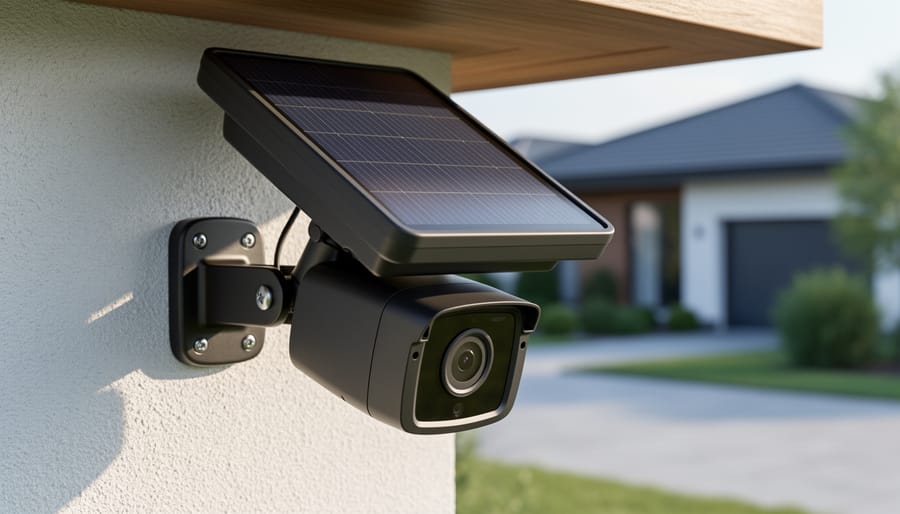
Modern security technology has evolved beyond just protection, it now offers genuine environmental benefits. Solar-powered cameras eliminate the need for electrical wiring and draw energy from renewable sources, making them ideal for remote areas or homes looking to reduce grid dependence. Many outdoor cameras in 2026 feature built-in solar panels that keep batteries topped up year-round, even in regions with moderate sunlight.
Low-energy sensors represent another sustainability win. Motion detectors and contact sensors now run for years on single battery charges, thanks to efficient chipsets that activate only when needed. Some systems use coin-cell batteries designed for five-plus years of operation, dramatically reducing battery waste compared to older models that needed frequent replacements.
Cloud storage plays a surprising role in sustainability by replacing power-hungry local DVRs and NVRs. Rather than running a dedicated recording device 24/7, cloud-based systems upload footage only when motion is detected, storing it on energy-efficient server farms. This eco-friendly approach also means no physical hardware to dispose of when you upgrade.
The smartest systems integrate with home energy management platforms, coordinating with smart thermostats and lighting to optimize overall power use. For instance, your security system might activate energy-saving modes when it detects you’ve left home, or trigger outdoor lights only when cameras spot actual movement rather than running dusk-to-dawn.
When choosing sustainable options, prioritize rechargeable battery systems over disposable ones, check for Energy Star or equivalent certifications, and select manufacturers with take-back recycling programs. The upfront cost might run slightly higher, but reduced energy bills and fewer battery replacements make these systems economical within a year or two.
DIY Installation vs. Professional Setup
Most smart home security systems are designed for DIY installation, and if you’re comfortable with basic tools and technology, you can have a system running in an afternoon. The trade-off comes down to time, confidence, and complexity, not just cost.
When DIY Makes Sense
Wireless systems with adhesive sensors and plug-in cameras are genuinely beginner-friendly. If you’re installing a doorbell camera, a few window sensors, and a smart lock, you won’t need to run wires through walls or drill into brick. You’ll need a smartphone, a stable Wi-Fi network, and about two to four hours depending on the number of devices. Basic DIY installation typically costs nothing beyond the equipment itself, which ranges from $200 for a starter kit to $600 for a more comprehensive setup.
The process follows a consistent pattern: decide where each device will go (high corners for cameras, doorframes for sensors), mount or place the hardware, download the manufacturer’s app, scan QR codes or follow pairing prompts to connect each device, then test everything by triggering sensors and checking camera feeds. Most apps include setup wizards that walk you through each step with photos.
When to Call a Professional
Hardwired systems, especially those requiring Power over Ethernet cameras or integration with existing home automation, justify professional installation. If you need cameras mounted under eaves, wiring concealed in walls, or the system tied into a monitored service with cellular backup, a technician ensures it’s done right the first time. Professional installation adds $300 to $1,000 depending on system complexity and number of devices, but you get proper placement, clean cable runs, and immediate troubleshooting.
The skill threshold isn’t high for wireless systems, if you’ve hung shelves and set up a streaming device, you can install smart security. For wired setups or whole-home integration, professionals save frustration and potential damage to walls or equipment.
Frequently Asked Questions
Do I need professional monitoring for my smart security system? Not necessarily. Self-monitoring through smartphone apps is free and works well if you’re comfortable responding to alerts yourself. Professional monitoring (typically $15-30/month in 2026) means a security company watches your system 24/7 and contacts emergency services if needed, which is valuable if you travel frequently or want backup when you can’t check your phone.
How much internet bandwidth do security cameras actually use? A single 1080p camera streaming continuously uses about 2-5 Mbps, while 4K cameras need 8-12 Mbps. Most systems only upload when motion is detected, dropping usage to 100-300 MB per day per camera. If you have multiple cameras, check your internet plan, a household with four active cameras typically needs at least 50 Mbps to avoid slowdowns during peak use.
Can my system work during power outages? It depends on your setup. Battery-powered sensors and cameras continue operating until their charge runs out (usually 3-6 months of normal use). Systems with backup batteries or uninterruptible power supplies (UPS) keep functioning for several hours during outages. Solar-powered outdoor cameras maintain operation as long as they’ve stored sufficient charge. Your internet router will also need backup power for cloud-based systems to send alerts during outages.
Are wireless systems as reliable as wired ones?
Modern wireless systems using encrypted protocols like Z-Wave and Zigbee are highly reliable for most homes, with batteries lasting months or years. Wired systems eliminate battery concerns and can’t be jammed, making them preferable for high-security applications or large properties.
How do I protect my privacy with security cameras?
Use strong, unique passwords, enable two-factor authentication, keep firmware updated, and choose cameras with local storage options or end-to-end encryption. Position cameras to avoid neighbors’ windows and consider disabling audio recording in private areas.
What happens to my security footage and data?
Cloud-based systems store encrypted footage on company servers, typically for 7-30 days depending on your plan. Local storage options keep everything on your property. Always review the privacy policy to understand data retention, who can access it, and whether footage is used for product improvement or shared with third parties.
What about false alarms? They’re common when you first set up a system. Pets trigger motion sensors, wind moves cameras, and family members forget to disarm the system. Spend time adjusting sensitivity settings, creating activity zones that ignore trees or streets, and setting up user codes so everyone can arm and disarm independently. Most false alarms drop significantly after the first two weeks once you’ve fine-tuned everything.
Smart home security solutions offer modern homeowners a powerful way to protect their property while embracing sustainable technology. These systems combine real-time monitoring, intelligent automation, and eco-conscious design to deliver peace of mind without compromising environmental responsibility.
You don’t need to install everything at once. Start with one or two key components, a smart doorbell or a couple of outdoor cameras, and expand as you become comfortable with the technology. This gradual approach lets you spread costs, learn what works for your specific needs, and avoid overwhelming yourself with too many features upfront.
The beauty of today’s smart security lies in its flexibility. Whether you’re a DIY enthusiast ready to tackle installation yourself or prefer professional setup, these systems adapt to your skill level and budget. They integrate seamlessly with other smart home devices, creating layers of protection that feel intuitive rather than intrusive.
As you build your security setup, remember that protecting your home and reducing your environmental footprint aren’t competing goals, they’re complementary ones. Choose solar-powered cameras where practical, opt for rechargeable batteries, and select systems that align with your values. Smart security works best when it serves both your immediate safety needs and your long-term commitment to sustainable living.