Your Gaming Home Office Deserves Better Than a Desk and Chair
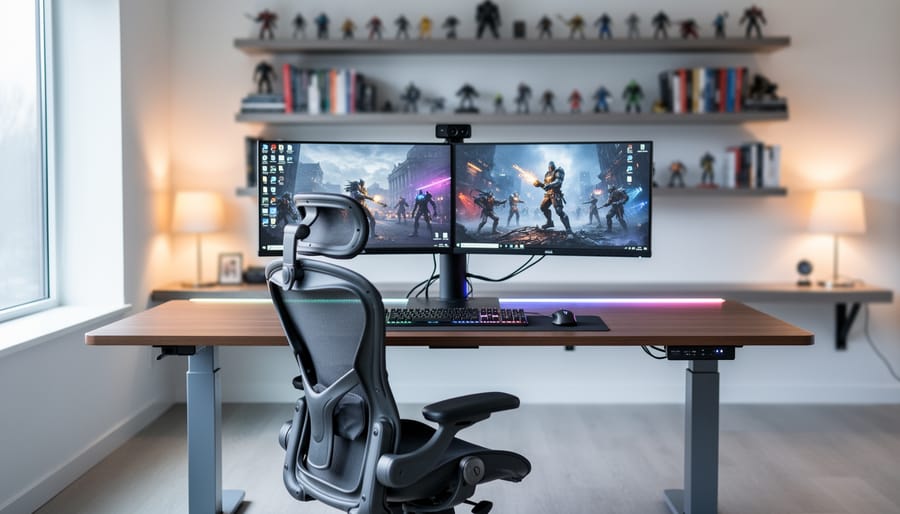
Position your desk perpendicular to your primary light source to eliminate screen glare during work calls while maintaining optimal monitor visibility for evening gaming sessions. This simple arrangement prevents the washed-out webcam appearance that plagues window-facing setups and reduces eye strain during extended play.
Invest in adjustable equipment that transitions seamlessly between professional and gaming modes. A standing desk with programmable height presets lets you switch from formal video conference posture to relaxed gaming stance instantly. Pair it with an ergonomic chair featuring removable lumbar support and adjustable armrests that accommodate both typing marathons and controller sessions.
Create visual separation using strategic backdrop choices that satisfy both purposes. Mount floating shelves 18-24 inches behind your desk to display professional books and subtle gaming collectibles, ensuring your video call background looks polished while reflecting your personality. Keep RGB lighting on dimmable smart switches, allowing you to present clean, neutral lighting for client meetings and vibrant gaming ambiance after hours.
Cable management transforms chaotic dual-purpose setups into professional spaces. Run power strips and charging stations through desk grommets or mounted raceways to accommodate multiple devices without visible tangles. This organization proves essential when quickly switching between work laptop, gaming PC, and console connections without disrupting your carefully arranged workspace aesthetic.
Why Your Gaming Setup and Work Space Should Be One
Let’s be honest: if you’re working from home and enjoy gaming, maintaining two separate setups doesn’t make much sense anymore. Combining your gaming station with your work space isn’t just practical, it’s actually the smarter choice for most people.
Think about the square footage first. Most of us don’t have unlimited room to dedicate one area solely to work and another exclusively for gaming. A dual-purpose setup maximizes your available space while giving you everything you need in one ergonomic location. Instead of cramming multiple desks into your home, you create one well-designed command center that serves both purposes beautifully.
The financial benefits are equally compelling. Gaming-grade equipment often exceeds the requirements of standard office work, which means you’re investing once for dual functionality. That high-refresh-rate monitor you bought for smooth gameplay also reduces eye strain during long work sessions. Your gaming chair with lumbar support keeps you comfortable through eight-hour workdays. The powerful graphics card that renders games seamlessly handles video editing, 3D modeling, and resource-heavy professional applications without breaking a sweat.
Here’s something many people overlook: gaming equipment is designed for extended use under demanding conditions. This translates directly to work performance. A mechanical keyboard built for gaming offers better tactile feedback for typing. A gaming mouse with adjustable DPI settings provides precision for detailed design work. The processing power needed for modern games means your work applications run incredibly fast, eliminating frustrating lag during video calls or when switching between programs.
The key is approaching your setup strategically, considering both professional appearance and gaming functionality from the start.
The Foundation: Furniture That Works Double Duty
The Right Desk Makes Everything Easier
Your desk is the foundation of your gaming home office, so choosing the right one matters more than you might think. You’ll spend hours here working, gaming, and video conferencing, which means your desk needs to handle it all without looking like a teenager’s gaming cave.
Size is your first consideration. Measure your space carefully, but don’t just think about fitting the desk—consider what goes on top. You’ll need room for at least one monitor (probably two), a keyboard, mouse, and some breathing room for papers or a notebook during work calls. A minimum depth of 24 inches works for basic setups, but 30 inches gives you comfortable distance from your screens and prevents that cramped feeling.
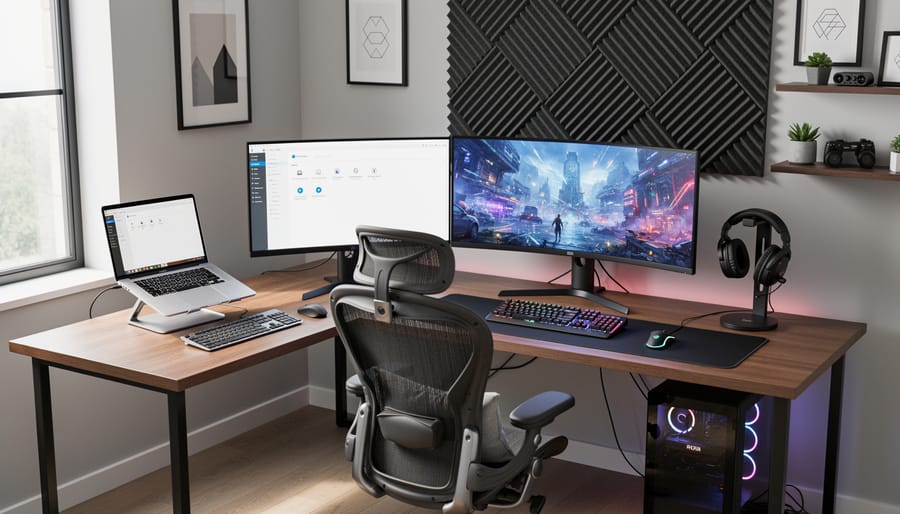
L-shaped desks are particularly smart for dual-purpose spaces. The main section handles your primary work and gaming monitors, while the side wing provides dedicated space for paperwork, a printer, or your gaming console. This configuration also positions you nicely for video calls without your entire gaming setup visible in the background.
Cable management features separate amateur setups from professional ones. Look for desks with built-in grommets, cable trays underneath, or channels along the back edge. Nothing screams “unprofessional” on a work call quite like a tangled mess of cables drooping behind you.
Stability matters when you’re mounting monitors or using the desk for gaming sessions that might get a bit intense. Give the desk a wobble test before buying—flimsy construction will frustrate you daily. Solid wood, quality laminate, or metal frames provide the rigidity you need.
Standing desk converters or full electric standing desks offer flexibility for both long work sessions and gaming marathons. The ability to alternate positions throughout your day reduces fatigue and keeps you more alert, whether you’re crunching spreadsheets or chasing victory royales.
Invest in Your Chair (Your Back Will Thank You)
Your chair is the foundation of your entire setup, whether you’re analyzing spreadsheets or battling through a raid. You’ll spend countless hours sitting here, so this is one purchase worth getting right.
The great debate between gaming chairs and traditional office chairs isn’t as straightforward as you might think. Gaming chairs, with their racing-style design, offer excellent lumbar support and adjustable features that work beautifully for long sessions. However, they can look out of place on professional video calls. Traditional ergonomic office chairs provide a more corporate aesthetic and often feature superior breathability, but they might lack the neck support gamers need.
Here’s the practical approach: prioritize ergonomics first, aesthetics second. Look for adjustable lumbar support, seat height adjustment, and armrests that move in multiple directions. Your feet should rest flat on the floor with your knees at a 90-degree angle. The backrest should support your natural spine curve without forcing you into an uncomfortable position.
Material matters more than you’d expect. Mesh backs provide excellent airflow during intense gaming sessions and summer afternoons, preventing that sweaty-back situation nobody enjoys. Leather or faux-leather looks professional and cleans easily but can get warm. Fabric strikes a middle ground with decent breathability and comfort.
Consider hybrid options that blend both worlds. Several manufacturers now produce chairs with ergonomic gaming features in understated, office-appropriate designs. Black or gray colorways work particularly well, looking professional on camera while maintaining that sleek gaming aesthetic.
For additional guidance on setting up your space properly, check out these ergonomic home office tweaks that complement your chair choice. Your future self will genuinely appreciate investing in quality seating now rather than dealing with back pain later.
Technology Integration That Powers Both Worlds
Monitor Setup: More Screen Real Estate Changes Everything
Your monitor setup can make or break your dual-purpose space. The right configuration boosts productivity during work hours and delivers immersive gaming experiences at night, all without making your office look like a spaceship cockpit.
For most setups, a single ultrawide monitor (34-inch or larger) offers the sweet spot between screen real estate and desk space. You get the equivalent of two monitors side-by-side for multitasking spreadsheets and documents, while games wrap around your field of vision beautifully. Look for at least a 144Hz refresh rate, which keeps work animations smooth and gaming fluid.
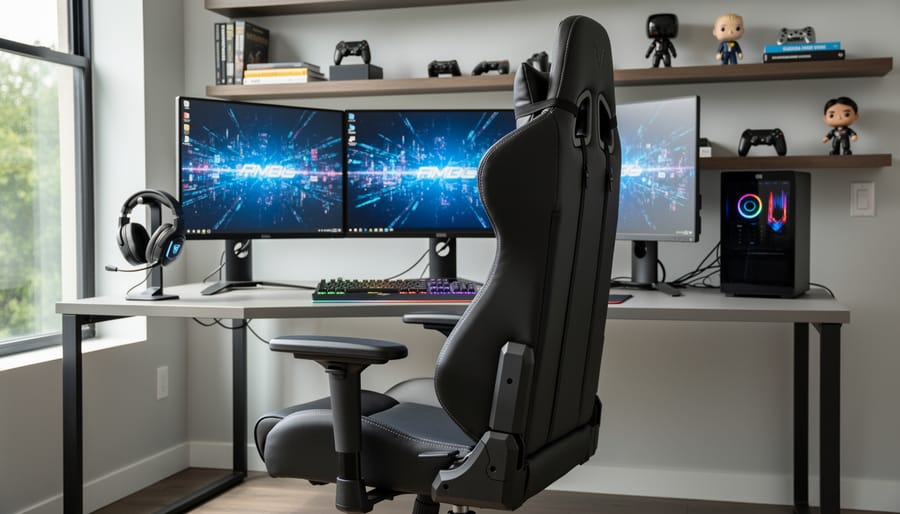
If you prefer traditional monitors, a dual-monitor setup works perfectly. Mount your primary display at eye level for video calls and productivity, then angle the secondary screen slightly for reference materials or stream monitoring. For mounting, articulating arms are game-changers. They free up valuable desk space, allow easy repositioning between work and play modes, and keep cables organized behind your desk.
The refresh rate question is simple: aim for 144Hz minimum. It’s noticeable enough for gaming advantage but not overkill if you’re not into competitive esports. Resolution matters too. A 1440p display hits the perfect balance, sharp enough for detailed work without requiring a graphics card upgrade.
Skip the triple monitor setup unless you genuinely need it. Three screens look impressive but create awkward neck angles during video calls and dominate smaller spaces. Your colleagues don’t need to see your full command center during morning meetings.
Audio Solutions That Don’t Compromise
Finding the right audio setup for your dual-purpose space means investing in gear that transitions smoothly between video conferences and gaming sessions. The good news? You don’t need separate systems for each activity.
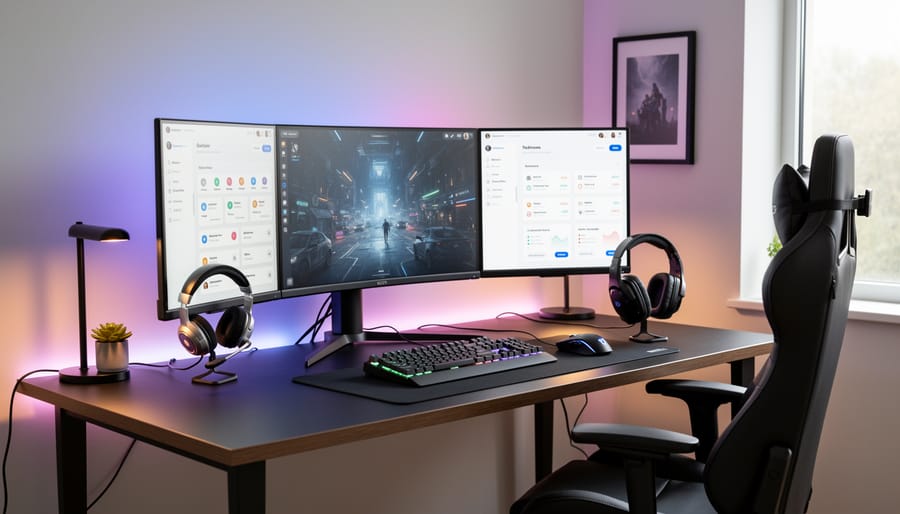
A quality gaming headset often serves both purposes beautifully. Look for models with detachable or flip-up microphones that don’t scream “gamer” during professional calls. Many mid-range options now feature excellent noise cancellation and clear microphone quality that rivals dedicated conferencing equipment. For those preferring speakers, bookshelf monitors paired with a standalone USB microphone offer flexibility, letting you switch between immersive gaming audio and hands-free calls.
Microphone quality deserves special attention. A dedicated USB microphone on an adjustable arm gives you professional-grade audio for client calls and crystal-clear communication for team gaming. Position it to minimize keyboard noise, and consider a pop filter for that extra polish during presentations or streaming.
Soundproofing doesn’t require major renovations. Simple additions like acoustic foam panels, heavy curtains, or even a well-placed bookshelf filled with books can significantly reduce echo and outside noise. These improvements benefit both your conference call clarity and gaming immersion.
Create an easy switching system using your computer’s audio settings or a simple hardware switch box. Save different audio profiles for work mode versus gaming mode, adjusting volume levels and equalization settings accordingly. This quick-switch capability means you’re always ready, whether you’re joining a board meeting or a raid party, without fumbling through settings or swapping cables.
Lighting That Sets the Mood (And Reduces Eye Strain)
Getting your lighting right makes all the difference in a gaming home office setup. You need proper home office lighting for productivity during work hours, but also the right ambiance for those evening gaming sessions.
Start with ambient lighting that fills the room evenly. Overhead lights with dimmer switches give you flexibility to adjust brightness based on whether you’re in work mode or gaming mode. Smart bulbs are a game-changer here, letting you switch between cool white light for focused work and warmer tones for relaxation.
Bias lighting behind your monitor is essential for reducing eye strain during long sessions. These LED strips create a soft glow that reduces the contrast between your bright screen and the dark wall behind it. Your eyes will thank you after marathon gaming or extended workdays. Look for USB-powered strips that attach directly to your monitor for a clean installation.
For task lighting, add a desk lamp with adjustable brightness. Position it to illuminate your keyboard and desk surface without creating glare on your screen. This setup works perfectly for video calls too.
As for RGB lighting, keep it tasteful. A subtle color accent strip along your desk edge or shelving adds personality without looking unprofessional on video calls. Choose neutral colors during work hours and save the rainbow effects for gaming time.
Cable Management and Organization Secrets
A tangle of cables can sabotage even the best gaming home office setup, making your space look chaotic during video calls and creating frustrating maintenance issues. The good news? A few strategic solutions can transform your cable situation from nightmare to nearly invisible.
Start with a cable management spine underneath your desk. Simple velcro cable ties bundled together cost around $10 and let you group cables running from your PC to peripherals. Products like the IKEA SIGNUM cable management rack ($10-15) mount directly under your desktop and keep power strips and cable bundles off the floor. For a cleaner look, J-channel cable raceways ($20-30 for a kit) attach to desk legs or walls and completely hide cables from view.
Behind your monitor setup, a vertical cable sleeve works wonders. The Alex Tech cable sleeve ($15-25) zips closed and blends with most setups while accommodating multiple HDMI, DisplayPort, and power cables. This becomes especially important when you’re on a Zoom call and your camera captures part of your desk background.
Consider a monitor arm with built-in cable management channels. Options from brands like VIVO or ErGear ($30-80) include clips and guides that route cables through the arm itself, eliminating the spider web effect behind your screens.
For desktop peripherals, apply solid desk organization methods by adding a small cable box ($15-20) near your keyboard to manage charging cables for controllers, headsets, and phones. These decorative boxes contain power strips while providing easy access to ports you use daily.
Finally, label everything with a simple label maker. When troubleshooting tech issues mid-stream or swapping equipment, you’ll thank yourself for knowing which cable does what without crawling under your desk.
Design Elements That Balance Professional and Personal
Wall Decor and Display Solutions
Your wall space offers prime real estate for showing personality while maintaining video call professionalism. The key is strategic placement based on your camera angle. Before mounting anything, sit at your desk and take a test photo to identify what appears in frame.
Floating shelves work beautifully for gaming memorabilia and create visual interest without overwhelming the space. Position collectibles, controller stands, or favorite game cases on these shelves, mixing in a few professional elements like books or plants. This balanced approach reads as personalized rather than purely recreational on camera.
Consider LED-lit display cases for premium collectibles that deserve protection while adding ambient lighting to your setup. These glass-front cases keep items dust-free and create a gallery effect that looks intentional and curated.
Frame your favorite gaming artwork or posters rather than taping them directly to walls. This simple upgrade transforms casual decoration into professional-looking art displays. Create a gallery wall off to one side, keeping your primary camera background cleaner with just one or two statement pieces.
Cable-managed pegboards offer functional display solutions for headphones, controllers, and accessories while doubling as organizational tools. Paint them to match your wall color for a seamless look, or choose contrasting colors as an accent feature. Position these systems outside your main camera view if they tend to look cluttered.
Color Schemes That Don’t Scream ‘Gaming Cave’
Ditch the neon rainbow LED explosion and opt for a sophisticated neutral base instead. Think charcoal grays, warm whites, or navy blues for walls and primary furniture pieces. These colors photograph beautifully on video calls while maintaining that modern edge gamers love. Add personality through strategic accent pieces like a sleek black and white gaming mouse pad, a single color-changing LED strip behind your monitor (kept on solid white during work hours), or artwork that nods to gaming without screaming it.
The key is keeping your gaming elements subtle. If you love bold colors, reserve them for easily swappable accessories like throw pillows, desk organizers, or a small decorative shelf item. Choose monitor arms and cable management solutions in matte black rather than flashy red or chrome finishes. This approach lets you maintain professionalism during client calls while still enjoying a space that reflects your interests. Consider wood tones to warm up tech-heavy setups and add plants for visual balance that both aesthetics appreciate.
Quick Wins: Small Upgrades That Make a Big Difference
You don’t need to break the bank to dramatically improve your gaming home office. These affordable upgrades deliver instant results and can be added piece by piece as your budget allows.
Start with ergonomic accessories that protect your body during long sessions. A simple footrest promotes better posture and reduces lower back strain, while gel wrist rests for your keyboard and mouse prevent repetitive stress injuries. Look for ones with non-slip bases that stay put during intense gaming moments.
Desk organization makes a surprising difference in how your space functions. A quality desk pad not only protects your surface but also creates a cohesive look and smoother mouse tracking. Cable management clips keep cords tidy and prevent that frustrating tangle behind your desk. Bonus: they make your setup look cleaner on video calls.
Add a peripheral organizer or small drawer unit to corral controllers, dongles, and charging cables. Having designated spots means less time hunting for equipment and more time actually using your space.
Don’t underestimate the power of greenery. A small desk plant or two improves air quality and adds life to your setup without taking up much space. Choose low-maintenance options like pothos or snake plants that thrive in various lighting conditions.
These small investments compound quickly. Together, they create a more comfortable, organized, and visually appealing space that serves both your professional and gaming needs without requiring a complete overhaul.
Creating the perfect gaming home office setup isn’t about buying everything at once or achieving perfection on day one. The beauty of this dual-purpose space is that it grows and adapts alongside your needs, whether you’re climbing the corporate ladder or conquering new gaming worlds.
Start with the essentials that impact both work and play: a quality desk, an ergonomic chair, and reliable technology. From there, build gradually. Maybe your next step is upgrading your monitor for better spreadsheet visibility and immersive gameplay, or perhaps adding acoustic panels to improve video call quality and reduce gaming echo.
Remember, the most successful gaming home office setups balance functionality with personality. Your space should feel professional enough for client meetings while still reflecting your gaming passion. Don’t stress about hiding every gaming element during work hours. Today’s sleek gaming gear often doubles as impressive tech that colleagues admire.
The key is starting somewhere and refining as you go. Pay attention to what frustrates you during your workday or gaming sessions, then address those pain points one at a time. Your setup will naturally evolve into a space that genuinely serves both purposes, boosting your productivity during business hours and maximizing your enjoyment when it’s time to game.