Why Your Front Door Needs a Smart Entry System (And How to Choose One)
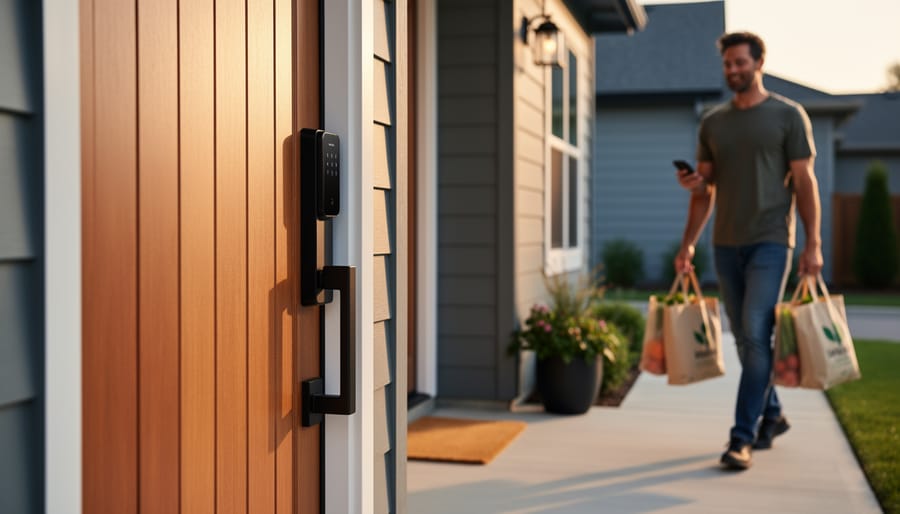
Picture this: you’re juggling grocery bags, a laptop, and your phone while fumbling for keys at your front door. Now imagine that same door unlocking automatically as you approach, no hands required. That’s the everyday magic of a smart entry system, and it’s transforming how we access our homes and businesses.
Smart entry systems replace traditional locks with digital solutions that use fingerprints, smartphone apps, keypads, or even voice commands to grant access. These aren’t just high-tech gadgets for tech enthusiasts anymore—they’re practical upgrades that solve real problems like lost keys, unauthorized access, and the hassle of coordinating entry for family members, guests, or service providers.
As smart home technology becomes more accessible and affordable, smart entry systems have emerged as one of the most impactful upgrades you can make. They offer convenience that fits seamlessly into your daily routine, enhanced security features that give you real-time control and monitoring, and flexibility that traditional locks simply can’t match.
Whether you’re a homeowner looking to modernize your security, a property manager overseeing multiple units, or someone who’s simply tired of carrying keys, understanding your options is the first step. This guide will walk you through everything you need to know about smart entry systems—from how they work and which types are available, to what you should consider before buying and whether you can tackle the installation yourself.
What Exactly Is a Smart Entry System?
A smart entry system is essentially your home’s high-tech doorman. Instead of fumbling with traditional keys, these systems let you unlock and manage access to your property using modern technology like smartphones, keypads, fingerprints, or even voice commands. Think of it as replacing that metal key in your pocket with a digital one that lives on your phone or gets stored as a unique code.
At their core, smart entry systems work through three basic components. First, there’s the lock mechanism itself, which physically secures your door. Second, you’ve got the connectivity layer, usually Wi-Fi or Bluetooth, that allows the lock to communicate with other devices. Third, there’s the authentication method, whether that’s a smartphone app, a numeric code, a key fob, or biometric data like your fingerprint.
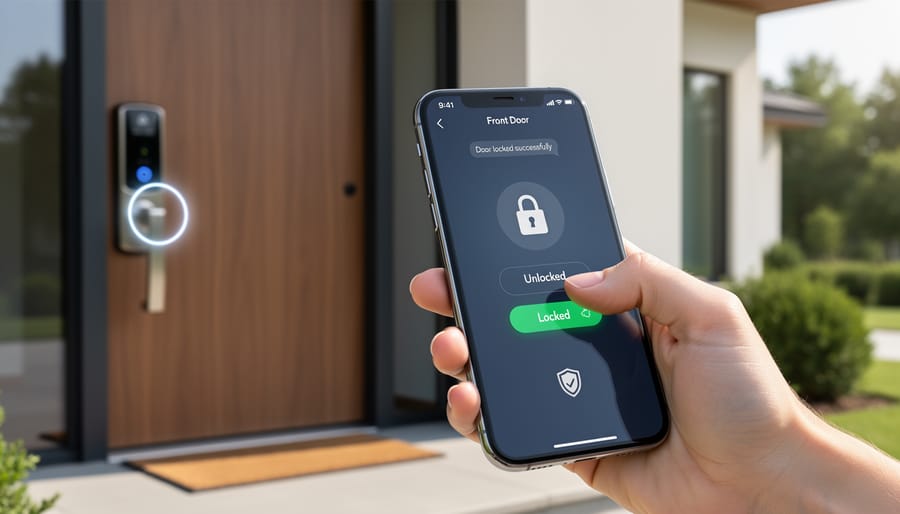
Here’s how it actually works in everyday life: When you approach your door, the system recognizes your credentials through whichever authentication method you’ve chosen. The lock receives this information, verifies you’re authorized, and unlocks the door. Many systems also connect to your home’s Wi-Fi network, which means you can control them remotely from anywhere. Forgot to lock up when you left for vacation? No problem. Just pull out your phone and secure your home with a tap.
The beauty of these systems lies in their flexibility. You can create temporary access codes for guests, receive notifications when someone enters your home, and integrate them with other smart home devices like security cameras or lighting systems. It’s the foundation that transforms a simple entryway into an automated, secure, and incredibly convenient access point.
The Real Benefits You’ll Actually Notice
No More Lost Keys or Lockouts
We’ve all been there—standing outside in the rain, digging through bags and pockets, only to realize the keys are sitting on the kitchen counter. Or worse, discovering you’ve locked yourself out entirely. Smart entry systems eliminate this frustration completely by removing physical keys from the equation.
With keyless entry, your smartphone becomes your key, or you simply punch in a code at the door. No more fumbling with key rings or hiding spare keys under the doormat (a security risk we’re all guilty of). If you forget your phone, most systems offer backup entry methods like PIN codes or fingerprint access, so you’re never truly locked out.
The real game-changer is temporary access codes. Expecting a house cleaner, dog walker, or repair technician? Generate a unique code that works only during specific hours or days, then automatically expires. This means no more key handoffs, no wondering who has copies floating around, and complete control over who enters your home and when. You can even create codes for guests staying while you’re away, then delete them the moment they leave. It’s convenience and security wrapped into one simple feature that makes everyday life just a bit easier.
Security That Works While You’re Away
One of the biggest advantages of smart entry systems is the peace of mind they provide when you’re not home. These systems let you keep tabs on your property from anywhere through your smartphone, sending instant notifications whenever someone enters or exits. Whether you’re at work, on vacation, or simply upstairs, you’ll know exactly who’s coming and going.
Most smart locks maintain detailed activity logs that timestamp every unlock event, showing you which access code or digital key was used. This feature is invaluable for tracking when kids arrive home from school, monitoring contractor access, or reviewing entry patterns if something seems off.
For enhanced security, many smart entry systems integrate seamlessly with video doorbells and security cameras. When someone unlocks your door, you can automatically trigger a camera to start recording, creating a visual record alongside your entry logs. This integration works particularly well with whole-home security systems, allowing you to arm or disarm your alarm automatically based on who unlocks the door.
The real-time alert system means you’re never in the dark. Get notified if someone tries to tamper with your lock, if a door is left unlocked too long, or when specific users access your home—giving you control even from miles away.
Seamless Integration with Your Smart Home
The real magic of a smart entry system happens when it talks to the rest of your home. When you unlock your door, your house can spring to life—lights turn on, the thermostat adjusts to your preferred temperature, and your favorite music starts playing. It’s like your home knows you’re coming and rolls out the welcome mat.
Most smart locks work with popular platforms like Amazon Alexa, Google Home, and Apple HomeKit, making integration straightforward. Through these ecosystems, you can create custom scenes that trigger multiple actions with a single unlock. Imagine arriving home after dark: your front porch light illuminates, your hallway brightens, and your entryway lights guide you inside—all automatically.
You can also pair your smart lock with smart lighting automation systems to create different scenarios for different family members. When the kids get home from school, lights turn on to homework-friendly brightness. When you arrive, the ambiance might shift to something more relaxing.
Security cameras, video doorbells, and alarm systems can also sync with your smart lock, creating a comprehensive security network. If someone unlocks the door, your cameras automatically start recording. These interconnected systems work together seamlessly, transforming your entryway from a simple door into an intelligent, responsive gateway.
Types of Smart Entry Systems: Finding Your Match
Smart Deadbolts
Smart deadbolts are the perfect starting point if you’re dipping your toes into home automation. These devices replace your existing deadbolt lock, usually requiring just a screwdriver and about 15 minutes of your time. Most models fit standard door preparations, making them genuinely DIY-friendly.
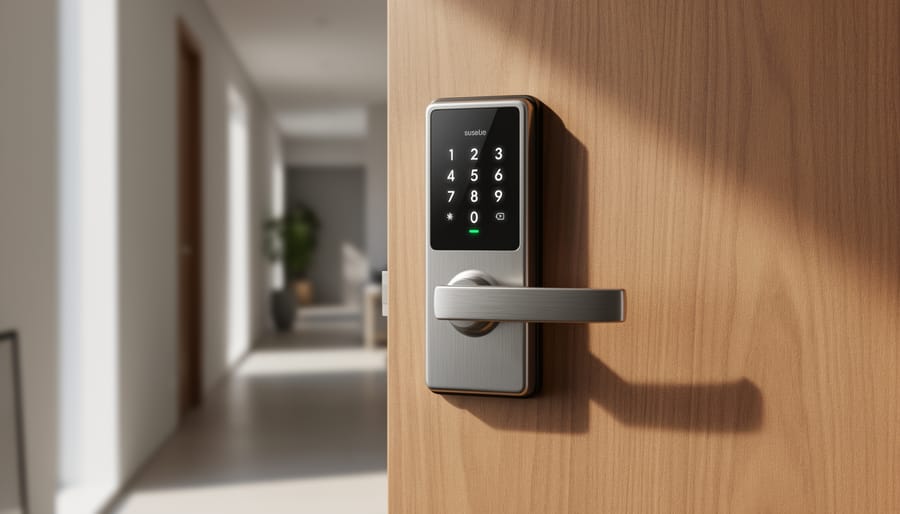
What makes these locks smart is their variety of unlock methods. You can choose models with illuminated keypads for PIN entry, fingerprint scanners for biometric access, or smartphone app control that lets you lock and unlock from anywhere. Many homeowners appreciate the flexibility of having multiple options, especially when kids forget codes or guests need temporary access.
Battery power is standard across most smart deadbolts, typically lasting 6-12 months on AA or AAA batteries. You’ll receive low-battery warnings well in advance, and most include a backup physical key option. Some models even feature USB charging ports for emergency power if needed. The standalone nature means no hub required and no complicated wiring, just install and program your preferred access methods.
Smart Lock Retrofits
If you’re not ready to replace your entire lock or you’re renting and can’t make permanent changes, smart lock retrofits offer the perfect middle ground. These clever devices attach directly to your existing deadbolt on the interior side of your door, transforming it into a smart lock while keeping everything else intact.
The beauty of retrofits is their simplicity. Your original lock hardware stays put, your keys continue working just as they always have, and you can typically install the device yourself in under 15 minutes using just a screwdriver. There’s no drilling, no rewiring, and best of all, no angry landlord if you need to remove it when you move.
Retrofits work by motorizing your existing thumb turn, allowing you to lock and unlock your door remotely through an app. You’ll get all the smart features you want—remote access, activity logs, auto-locking—without the commitment or expense of a full lock replacement. It’s an ideal testing ground if you’re curious about smart entry systems but want to start small, or if you simply prefer keeping your existing keyset as a reliable backup option.
Video Doorbells with Smart Lock Integration
Video doorbells paired with smart locks create the ultimate hands-free greeting experience. These combined systems let you see who’s at your door through HD video and unlock it for them without leaving your couch—perfect for when you’re upstairs with the baby or letting in a dog walker while you’re at work.
The real game-changer is package delivery management. You can remotely unlock your door for trusted delivery drivers, watch them place packages safely inside, then immediately relock everything from your phone. No more porch pirates stealing your deliveries.
Most systems offer two-way audio so you can chat with visitors before deciding to grant access. Motion detection alerts keep you informed of any activity, and cloud recording means you’ll have video evidence if anything goes wrong.
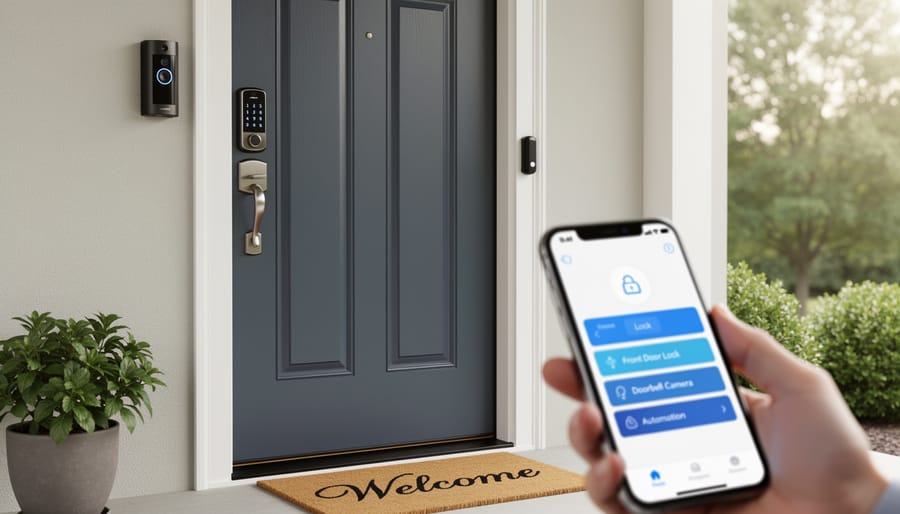
Integration works through manufacturer ecosystems or smart home platforms like Alexa or Google Home. Ring, Nest, and Arlo all offer compatible doorbell-and-lock combinations that work seamlessly together, giving you complete control of your entryway from a single app.
Full Smart Entry Kits
For those who want a complete solution right out of the box, full smart entry kits bundle everything you need for a truly automated entrance. These comprehensive packages typically include a smart lock, video doorbell or camera, motion sensors, smart lighting controls, and a central hub to tie everything together.
The beauty of these kits is the guaranteed compatibility between components. You won’t waste time troubleshooting why your lock and camera won’t sync, because they’re designed to work as a unified system. Many kits integrate with popular platforms like Amazon Alexa, Google Home, or Apple HomeKit, letting you control everything with voice commands or a single app.
Expect to invest anywhere from $500 to $1,500 for a quality full kit, depending on the brand and features included. While that’s more upfront than buying a standalone lock, you’re getting enterprise-level security and convenience at a residential price point.
Installation varies by system, but most kits are designed with DIY installation in mind, featuring wireless components and clear setup guides. If you’re comfortable with basic home improvement tasks, you can typically complete installation in an afternoon.
What to Look for Before You Buy
Compatibility with Your Door and Existing Hardware
Before you buy, grab a tape measure and check your door setup. Most smart entry systems work with standard door thicknesses between 1.375 and 1.75 inches, but it’s worth confirming yours fits the range. Measure your door’s backset too—that’s the distance from the door’s edge to the center of your existing deadbolt hole. Standard measurements are 2.375 or 2.75 inches.
Check whether your current deadbolt is compatible. Many smart locks are designed as retrofit solutions, meaning they attach to your existing deadbolt mechanism from the inside, leaving your exterior hardware untouched. This is the easiest DIY installation route. However, if you want a complete smart system with keypad or fingerprint access on the outside, you’ll need a full replacement unit.
Consider your door material and frame condition. Smart locks work on wood, metal, and fiberglass doors, but damaged frames or misaligned doors may need repairs first. If you’re renting or want maximum flexibility, retrofit options let you easily remove the system and restore your original lock when needed.
Connectivity Options That Matter
Your smart entry system needs to talk to your home network, and choosing the right connection type makes all the difference. Wi-Fi is the most common option—it connects directly to your router, works with most smartphones, and doesn’t need extra hubs. It’s perfect if you already have strong Wi-Fi coverage at your door. Bluetooth offers a simpler, lower-power option that works great for close-range access, though you’ll need to be within about 30 feet of your lock. For whole-home automation, Z-Wave smart locks and Zigbee create mesh networks that extend range and reliability, especially in larger homes. These do require a compatible hub but integrate beautifully with comprehensive smart home systems. If you’re just starting out, Wi-Fi or Bluetooth keeps things simple. Planning a fully automated home? Z-Wave or Zigbee gives you more flexibility and rock-solid performance.
Smart Home Platform Integration
Modern smart entry systems play nicely with the smart home ecosystem you’ve already built. Most quality systems integrate seamlessly with Alexa, Google Home, and Apple HomeKit, letting you unlock doors with voice commands or create custom routines. Imagine your door automatically unlocking when you arrive home while your lights turn on and thermostat adjusts—all working together. Check compatibility before purchasing, as some budget models offer limited integration. The beauty of these connections is convenience: grant temporary access to guests through your phone, receive notifications when kids arrive home, or check lock status from anywhere. Many systems also work with IFTTT for advanced automation possibilities, connecting your entry system to hundreds of other apps and devices without requiring technical expertise.
Battery Life and Backup Options
Most smart entry systems run on standard AA or lithium batteries that typically last anywhere from six months to two years, depending on usage frequency and the specific model. The good news is you won’t be left guessing when it’s time for a replacement. These systems send low-battery alerts directly to your smartphone, usually when power drops to around 20 percent, giving you plenty of advance notice to swap in fresh batteries.
If batteries do die unexpectedly, you’re not locked out. Nearly all smart locks include a physical keyhole as a backup, accessible with a traditional key. Some models also offer emergency jump-start options using a 9-volt battery held against external terminals to provide temporary power for unlocking. Higher-end systems may include hardwired power options or solar charging capabilities for commercial applications. For complete peace of mind, keep spare batteries on hand and set calendar reminders based on your manufacturer’s recommended replacement schedule. This simple habit ensures your smart entry system remains reliable year-round without any surprise lockouts.
DIY Installation: Is It Really That Simple?
Let’s be honest—installing a smart entry system falls somewhere between changing a light fixture and rewiring your entire house. The good news? Most homeowners with basic DIY skills can handle it, especially if you’re replacing an existing deadbolt rather than creating a new door opening.
The typical installation process starts with removing your old lock. You’ll need a screwdriver (Phillips and flathead), a drill with bits, a tape measure, and about 30-60 minutes of your time. Most smart locks are designed to fit standard door preparations, meaning if you already have a deadbolt, you’re halfway there. Simply unscrew the interior and exterior components, follow the manufacturer’s template to mark any new holes if needed, and install your new smart lock following the included instructions. Many systems use existing holes, making the process surprisingly straightforward.
The electrical component is usually painless—most smart locks run on batteries housed in the interior unit, so there’s no complex wiring involved. This makes DIY smart home installation much more accessible than you might think. The trickiest part is often the app setup and WiFi connection, but manufacturers have gotten much better at providing clear guidance through their mobile apps.
When should you call a professional? If your door doesn’t have an existing deadbolt hole, if you’re installing on a metal or glass door, if you need to modify your door frame, or if you’re simply uncomfortable with the process—there’s no shame in hiring help. A handyman or locksmith can typically complete the installation in under an hour.
The real challenge isn’t the physical installation—it’s ensuring your door is properly aligned and secure. A poorly hung door can cause even the best smart lock to malfunction, so address any structural issues first.
Common Concerns (And Why They Shouldn’t Stop You)
Let’s be honest—adopting any new technology comes with questions. If you’re hesitating about smart entry systems, you’re not alone. Here are the most common concerns and why they shouldn’t hold you back.
Security vulnerabilities worry many homeowners. Yes, anything connected to the internet has potential risks, but reputable smart lock manufacturers use bank-level encryption and regular firmware updates. The reality? Traditional locks can be picked in seconds by someone with basic skills, while smart systems send instant alerts when someone’s tampering with your door. Most security breaches happen through human error—like using weak passwords—not the technology itself.
What about internet outages? Here’s the good news: nearly all smart entry systems have offline backup options. Most include physical keys, backup batteries that last months, and Bluetooth connectivity that works without Wi-Fi. You won’t get locked out during a power failure.
Privacy concerns are valid in today’s connected world. Choose systems that store data locally rather than exclusively in the cloud, and review privacy policies before purchasing. Many brands allow you to control exactly what information is shared and with whom.
The cost factor stops some people cold, but consider this perspective: a quality smart entry system costs roughly the same as rekeying your entire house after losing keys—something many homeowners do multiple times. Factor in the convenience of never replacing keys again, remote access for service providers, and potential insurance discounts for enhanced security. The investment often pays for itself within a couple of years while delivering daily convenience you can’t put a price on.
Smart entry systems offer more than just convenience—they deliver genuine peace of mind. Whether you’re worried about lost keys, want to grant access to guests remotely, or simply prefer the ease of touchless entry, these systems adapt to your lifestyle in ways traditional locks never could. The beauty is that you don’t need to overhaul your entire home security setup overnight.
Take time to assess your specific needs. Do you prioritize smartphone control, or would a simple keypad suffice? Is professional installation worth the investment, or are you comfortable tackling a DIY weekend project? Consider your budget, existing door hardware, and how tech-savvy your household is.
Remember, starting small is perfectly fine. Installing a single smart lock on your front door can be your gateway to discovering the benefits of entryway automation. Once you experience the convenience firsthand, you might find yourself expanding to other entry points naturally.
Ready to upgrade your entryway? Explore the options that fit your home, compare features that matter most to you, and take that first step toward smarter, simpler access control. Your future self will thank you every time you breeze through your door.