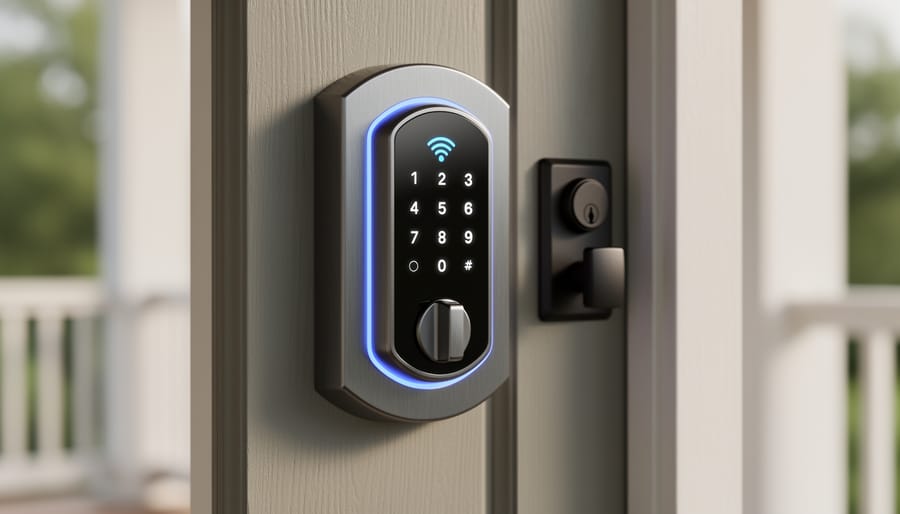
6 Best Smart Locks of 2026, Tested and Reviewed
The Schlage Encode Plus is the best smart lock for most homes, because it pairs built-in Wi-Fi with serious security and needs no hub or bridge to get going. It’s BHMA Grade 1 certified, it keeps a physical key backup for the day your phone dies, and it supports Apple Home Key, so you can unlock with an iPhone or Apple Watch. The backlit keypad is easy to use after dark, and real-world battery life comes in around 12 months.
In the interest of transparency, we earn a commission on some purchases made through links on this site. As an Amazon Associate I earn from qualifying purchases.
That’s our top pick, but it isn’t the only right answer. After hands-on time with these locks, we found the best choice depends on your door and your smart home setup. If you want a lock that looks traditional and stays discreet, the Eufy Security Smart Lock C34 is worth a look. Matter-based households should check the SwitchBot Lock Pro. Apple Home fans will like the Aqara Smart Lock U200 and U100, and the Lockly Secure Pro is our budget-friendly Wi-Fi option.
Below, you’ll find quick verdicts, a side-by-side comparison, and how we judged each lock, so you can choose with confidence. Whether this is a weekend DIY swap or a rental property upgrade, these smart lock reviews will point you to the right top smart lock for your door.
Our Top Smart Lock Picks at a Glance
Short on time? Here’s the quick version of our top smart lock picks. Each line gives the winner for a specific situation, so you can jump straight to the one that fits your door and your home.
- Schlage Encode Plus: best smart lock overall, with built-in Wi-Fi, Apple Home Key support, and a physical key backup.
- Eufy Security Smart Lock C34: best for a hidden, traditional-looking lock that keeps your door’s classic appearance.
- SwitchBot Lock Pro Matter Enabled: best for Matter-based smart homes that mix different brands.
- Aqara Smart Lock U200: best for Apple Home fans who love easy tap-to-unlock.
- Lockly Secure Pro: best budget-friendly Wi-Fi smart lock without giving up modern features.
- Aqara Smart Lock U100: best for Aqara and Apple Home households building out one ecosystem.
A quick note on value: we describe it in words here rather than numbers. The Schlage Encode Plus sits at the premium end, and it earns that spot with solid security and low-fuss daily use. The Lockly Secure Pro is our pick when keeping costs down matters most, and the others land in between.
If you want the full story behind any of these smart lock reviews, keep scrolling. We cover how we judged each lock first, then give every pick its own section with who it suits and where it falls short.
How We Tested and Why You Can Trust These Smart Lock Reviews
What Matters Most Once the Lock Is on Your Door
A smart lock earns its place on your door through the boring stuff. You’ll use it dozens of times a week, so what counts is whether it unlocks the first time, every time. Flashy extras look great in a product listing, but they fade fast if the lock hesitates when your arms are full of groceries.
Battery life is the next thing you’ll notice. A lock that needs fresh batteries constantly turns a convenience into a chore. Then there’s the backup way in. A physical key, like the one on the Schlage Encode Plus, means a dead battery or a Wi-Fi hiccup never leaves you standing on the porch.
Once those basics are covered, the rest is a matter of taste and which smart home setup you already have.
Smart Lock Comparison Table: Features, Compatibility and Fit
Here’s how the six picks line up side by side. We kept the table to details that are well established, so a few cells stay broad on purpose. Treat it as a starting point for narrowing the field, then check each model’s full details before you commit.
| Lock | Best for | Smart home fit | Value tier |
|---|---|---|---|
| Schlage Encode Plus | Most homes that want built-in Wi-Fi, a backlit keypad, and a physical key backup | Apple Home Key for iPhone or Apple Watch unlocking | Premium |
| Eufy Security Smart Lock C34 | A traditional-looking lock with keypad and app control | App-based control | Budget |
| SwitchBot Lock Pro Matter Enabled | Matter-based smart homes and mixed ecosystems | Matter support | Mid-range |
| Aqara Smart Lock U200 | Apple households that want tap-to-unlock | Apple Home Key and other major platforms | Mid-range |
| Lockly Secure Pro | Buyers who want fingerprint and keypad entry on a budget | Wi-Fi smart lock with app control | Budget |
| Aqara Smart Lock U100 | Aqara and Apple Home setups | Aqara and Apple Home ecosystems | Mid-range |
A few patterns stand out. The Schlage Encode Plus is the only pick where we can confirm built-in Wi-Fi, so no hub or bridge is needed, along with BHMA Grade 1 certification and roughly 12 months of battery life in real-world use. That mix of features is why it tops our smart lock reviews.
Below the top pick, the choice mostly comes down to your ecosystem. Apple fans should look at the two Aqara models, while anyone building a mixed smart home will appreciate the Matter support on the SwitchBot. If you’re after the most unlocking options for the least outlay, the Lockly and Eufy are the budget-minded picks. The full pick sections below cover entry methods, installation fit, and trade-offs for each one.
1. Schlage Encode Plus, Best Smart Lock Overall
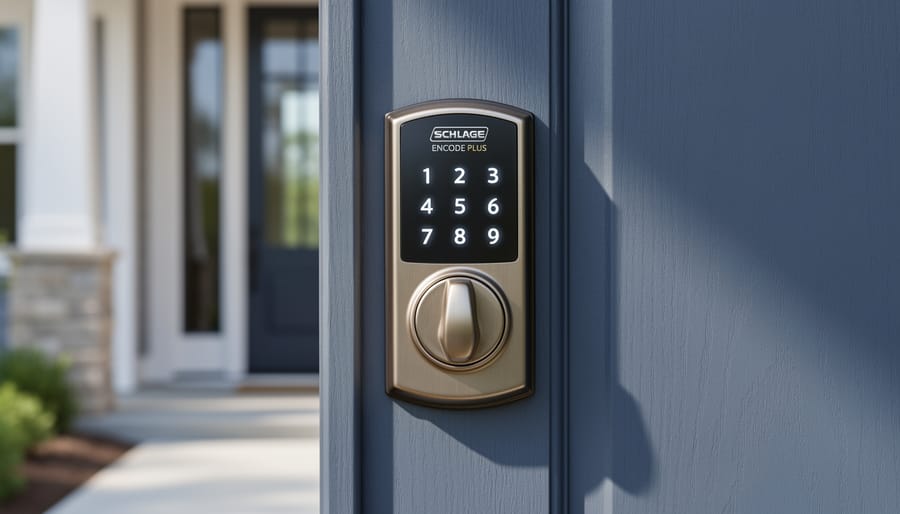
If you want one smart lock that does nearly everything well, the Schlage Encode Plus is the one we’d put on most front doors. It’s the lock we find ourselves recommending most often, and it has proven itself over a few years of real-world use.
The biggest convenience win is built-in Wi-Fi. There’s no hub or bridge to buy, plug in, or troubleshoot, so setup stays simple and you can control the lock from your phone. If your household runs on iPhones, Apple Home Key support means you can unlock the door with your iPhone or Apple Watch, no fumbling for keys or a code.
For everyone else in the house, the keypad has backlit numbers, which makes entering a code easy after dark. Guests and family can use their own codes without needing the app at all. And because there’s a physical key backup, you’re never locked out if a battery runs flat or your phone is dead. Schlage also rates the Encode Plus BHMA Grade 1 certified, the highest residential grade for strength and durability, so it feels like a serious lock, not just a gadget. In real-world use, battery life is described at about 12 months, which means you’ll swap batteries far less often than you’d think.
Pros
- Built-in Wi-Fi means no hub or bridge is needed.
- Apple Home Key lets you unlock with an iPhone or Apple Watch.
- The backlit keypad is easy to use at night.
- BHMA Grade 1 certification and a physical key backup add real security and peace of mind.
- Battery life is around 12 months in real-world use.
Cons
- Pricing depends on the lock and your door, so you’ll need to ask for a quote.
- It sits at the more premium end for value compared with simpler budget locks.
- Apple Home Key is most useful if your household already uses Apple devices.
On cost, the price varies with the specific lock and your door, so it’s quoted on request. It’s best to call for an upfront quote rather than guess.
Who is it for? Homeowners who want a dependable, low-fuss smart lock, especially iPhone households who’ll love tap-to-unlock. Our verdict: for most homes, the Schlage Encode Plus is the best smart lock you can choose, balancing convenience, security, and everyday reliability better than anything else on this list.
2. Eufy Security Smart Lock C34, Best for a Hidden, Traditional-Looking Lock
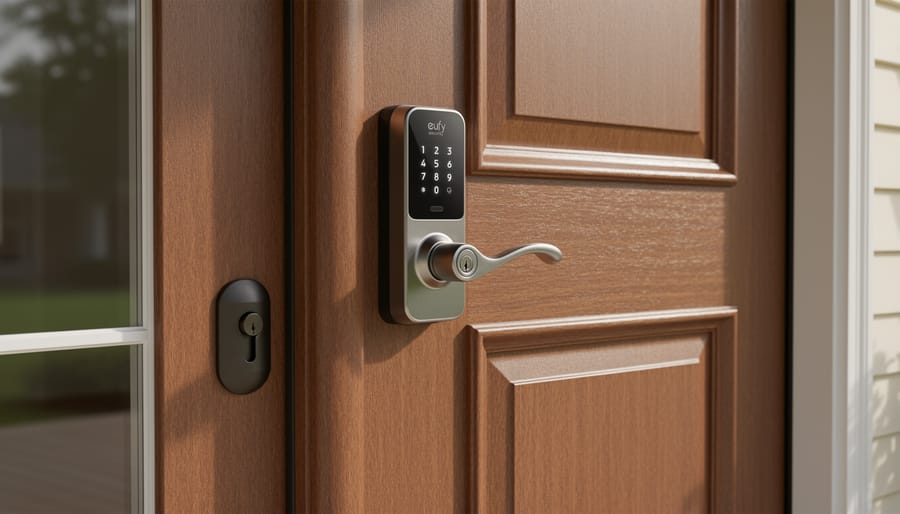
The Eufy Security Smart Lock C34 is the pick for buyers who want a straightforward smart lock without paying for extras they won’t use. It connects over built-in Wi-Fi, so there’s no hub or bridge to set up, and it pairs keypad entry with app control. That combination covers what most households actually do with a smart lock: let family in with a code, check the door from the couch, and hand out a temporary code to a guest.
In our testing, the experience felt closer to a traditional deadbolt than a gadget. A keypad on the door means everyone in the house can come and go without reaching for a phone, and that’s a big part of why this lock suits people who want a simple, familiar feel. It sits in the budget-friendly tier, so it’s a sensible place to start if you’re new to smart locks.
Where it trades off is in the extras. You won’t get the Apple Home Key tap-to-unlock or the heavy-duty security certification we highlighted on the top pick, and its smart home platform support is more limited than the Matter-focused options. If you’re building a larger connected home, you may outgrow it.
Pros
- Built-in Wi-Fi means no hub or bridge to buy or set up.
- Keypad entry lets everyone in the household unlock without a phone.
- App control makes it easy to share temporary codes with guests.
- Budget-friendly positioning makes it a low-risk first smart lock.
Cons
- No Apple Home Key support for tap-to-unlock with an iPhone or Apple Watch.
- Smart home platform integrations are more limited than premium options.
- It lacks the top pick’s BHMA Grade 1 certification, a point worth weighing for exterior doors.
Overall, it’s a solid choice if you want dependable keypad and app control at a friendly price. Pick it for simplicity, and look elsewhere if deep smart home integration is your priority.
3. SwitchBot Lock Pro Matter Enabled, Best for Matter-Based Smart Homes
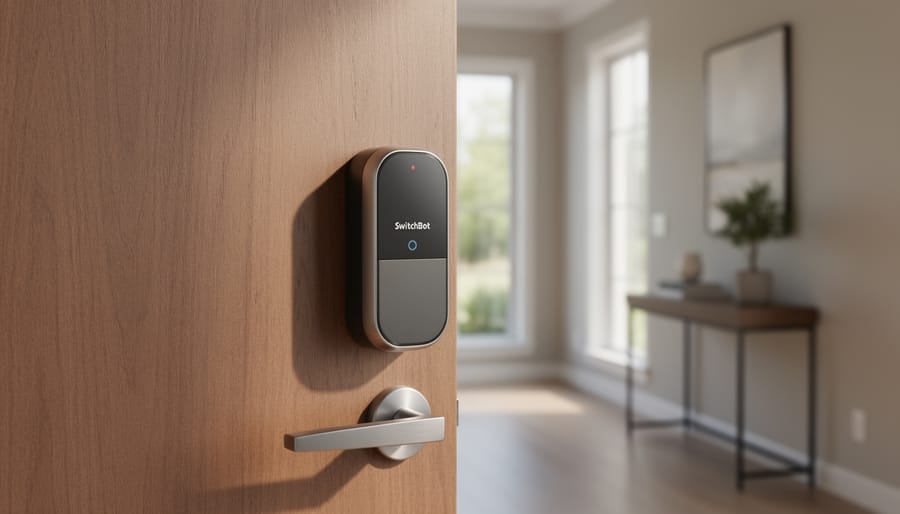
The SwitchBot Lock Pro Matter Enabled earns its spot for one reason: Matter. In plain terms, Matter is a shared language that lets smart home gear from different brands talk to each other. Instead of picking Apple, Google, or Amazon and living with that choice forever, a Matter-enabled lock can slot into whichever setup you already have, or switch with you later.
That flexibility is why we think it’s a strong fit for renters, DIYers, and anyone adding to an existing system. If you’re growing a smart home setup piece by piece, a lock that plays nicely with your current devices saves real frustration. It also suits anyone dipping a toe into a DIY smart home, since you can start small and expand without worrying about brand lock-in.
Pros
- Matter support makes it easier to mix devices from different smart home ecosystems.
- It suits renters and DIYers who want flexibility rather than a single-brand commitment.
- It fits naturally into an existing smart home without starting from scratch.
- You can add it to your setup now and change platforms later.
Cons
- Matter benefits only show up if your other devices support it too.
- Households that want every feature of one specific ecosystem may prefer a lock built around it.
- Physical fit and installation details depend on your door, so check before buying.
Before you commit, do a quick compatibility check on your door and your existing devices. And if your current gear leans on Zigbee automation, confirm how it will coexist with a Matter device rather than assuming the two will pair automatically.
Our verdict: this is the smart lock to look at if flexibility matters more than loyalty to a single brand. It’s a smart pick for mixed-ecosystem homes, though most shoppers who just want a dependable all-rounder will still land on our top pick.
4. Aqara Smart Lock U200, Best for Apple Home Fans and Easy Tap-to-Unlock
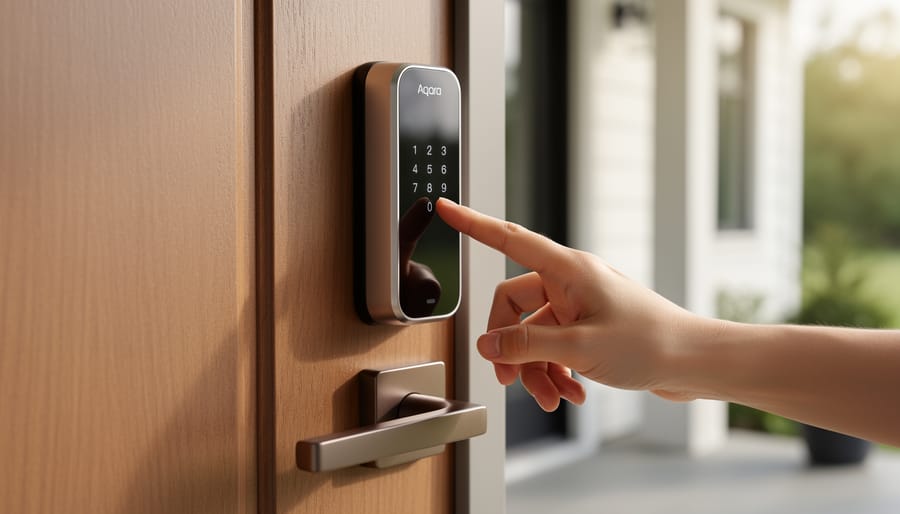
The Aqara Smart Lock U200 is a deadbolt-style upgrade built for people who live in the Apple ecosystem and want to stop fumbling for keys. It supports Apple Home Key, so you can hold an iPhone or Apple Watch near the door and it unlocks, no app opening and no code needed. It also works with other major smart home platforms, which makes it a flexible pick if your household mixes devices. If you’re still building out your setup, a few simple habits can reduce smart issues before they start.
Entry options go beyond tap-to-unlock. You get app control, a physical key as a backup, and other everyday ways in, so guests and family members aren’t locked into one method. Because it’s designed to sit on a standard deadbolt setup, it’s a good fit for homeowners who want an upgrade without rethinking the whole door. Check your door and existing hardware before you buy, since fit matters more than any feature on the box.
Pros
- Apple Home Key lets you unlock with an iPhone or Apple Watch.
- It works with other major smart home platforms, not just Apple.
- A physical key backup keeps you from getting stuck outside.
- The deadbolt-style design suits a typical front door upgrade.
Cons
- Sits in the mid-range to premium bracket, so it isn’t the cheapest way in.
- Households without Apple devices won’t get the full tap-to-unlock benefit.
- You’ll need to confirm door and deadbolt fit before ordering.
Our verdict: if your family lives on iPhones, this is one of the most convenient ways to get tap-to-unlock at the front door. If you’re not in the Apple camp, one of the other picks may serve you better for the money.
5. Lockly Secure Pro, Best Budget-Friendly Wi-Fi Smart Lock
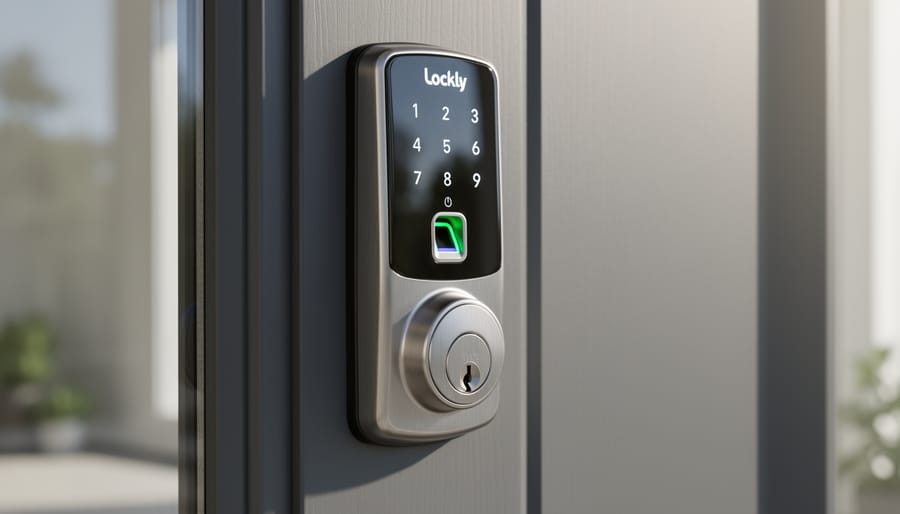
The Lockly Secure Pro is the lock we’d point to if you want several ways in without paying premium money. It’s a Wi-Fi deadbolt that combines fingerprint and keypad entry, so you aren’t tied to a phone or a key. Anyone who has juggled groceries at the door will see the appeal of a fingertip unlock. It’s also handy for family members who’d rather not carry a phone everywhere. If you’re weighing it against other picks in our smart lock reviews, it earns its spot as a budget-friendly choice that still feels feature-rich.
It’s a particularly good fit for households with kids, teens, or guests who come and go, since each person can use whatever method suits them. If you’re planning other front door upgrades, this lock fits neatly into that kind of project.
Pros
- Fingerprint and keypad entry give you multiple ways to unlock without reaching for your phone.
- Built-in Wi-Fi means app control without adding a separate hub.
- It delivers a lot of features for a budget-friendly price tier.
- The deadbolt design suits most standard residential doors.
Cons
- Fingerprint readers can be less reliable with wet, dirty, or worn fingertips.
- It has a shorter track record than our top smart lock pick.
- Smart home platform support varies, so confirm yours is covered before you buy.
- Battery power means you’ll need to swap batteries now and then.
The main trade-off is polish versus variety. You get more unlock options for the money, but it doesn’t have the long-proven reputation of the Schlage. Check your door fit and platform needs first, and keep a physical key handy as a backup.
6. Aqara Smart Lock U100, Best for Aqara and Apple Home Households
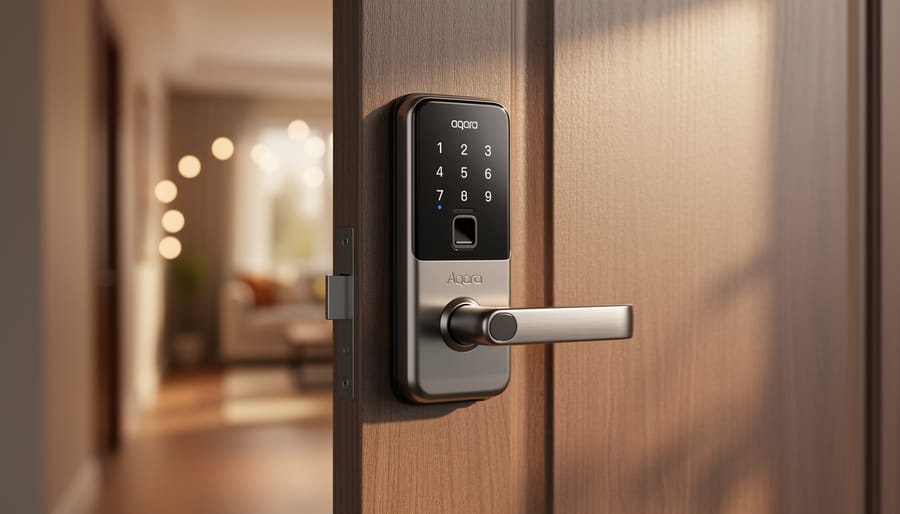
If you’re already building out an Aqara or Apple Home setup, the Aqara Smart Lock U100 is the one we’d put on your shortlist. It’s designed to sit comfortably alongside other Aqara devices, so the lock, your sensors, and your hub-driven routines can all live under one roof instead of being juggled across separate apps.
In our experience with locks in this category, the real test is whether the lock fades into your daily routine, and that’s where a lock built around an existing ecosystem tends to shine. If you’ve already got Aqara gear or you manage your home through Apple Home, adding a lock that speaks the same language keeps setup simpler and automations more predictable. Think of tying your door to a bedtime scene or an away routine without wrestling with workarounds.
We’re keeping our claims general here, since we’d rather not overstate details we can’t confirm. Check the current specs for the exact model you’re buying, particularly door fit and the entry methods available, and confirm which smart home platforms it supports before you commit.
Who it suits: Households already invested in Aqara or Apple Home who want their front door to join the same system. It’s a smart pick for tinkerers who enjoy building routines and want everything talking to each other.
Trade-offs: If you’re not already in that ecosystem, you’ll get less out of it, and other picks on this list offer broader platform flexibility or built-in Wi-Fi without extra hardware.
Verdict: A sensible, well-matched choice for Aqara and Apple Home fans who value a connected, cohesive setup over starting from scratch.
How to Choose the Right Smart Lock for Your Door
Smart Lock Technology Tips: Pairing It With the Rest of Your Home
Once your lock is on the door, a few small setup choices make it feel like part of the house instead of a gadget bolted onto it.
Start with voice assistants. Most smart locks can link to Alexa, Google Home, or Apple Home through their app, which lets you check lock status by voice. Many assistants ask for a PIN before they’ll unlock a door, and that’s a good thing to leave on.
Next, set up routines. A “Good Night” routine that locks the front door along with the lights is one of the easiest wins, and it takes a couple of minutes in your app.
Temporary codes are another favorite. Give house cleaners or guests their own code, then delete it when the visit is over, so there’s no key to chase down.
Finally, check your Wi-Fi at the front door. If your phone struggles to hold a signal on the porch, a Wi-Fi lock will too, so a mesh node or extender nearby can save you headaches.
Smart Lock FAQs
Are smart locks safe?
Yes, a well-built smart lock can be just as secure as a traditional deadbolt. Look for a solid security rating, like the BHMA Grade 1 certification on the Schlage Encode Plus, and keep your app and passcodes protected.
Do smart locks work without Wi-Fi?
Many still work at the door without a connection, since keypads, fingerprint readers, and physical keys don’t need the internet. Wi-Fi mainly powers remote features like checking the lock from your phone or sharing codes while you’re away.
What happens if the battery dies?
You won’t be locked out. Most smart locks give low-battery warnings well ahead of time, and a physical key backup, like the one on the Schlage Encode Plus, gets you in either way.
Which smart lock works with Apple Home?
The Schlage Encode Plus supports Apple Home Key, so you can unlock with an iPhone or Apple Watch. The Aqara Smart Lock U200 and U100 are also good fits for Apple Home households.
Battery life varies by lock, but the Schlage Encode Plus is described as lasting about 12 months in real-world use. As for installation, most smart locks are a friendly DIY project if you’re comfortable swapping a deadbolt with a screwdriver. Checking your door and deadbolt fit first makes the whole job go smoother. Whichever top smart lock you choose, the smart lock reviews above should help you pick the one that suits your door and your setup.
Choosing the best smart lock really comes down to your door, your setup, and how it behaves day after day. For most homes, the Schlage Encode Plus is our top smart lock: built-in Wi-Fi with no hub, Apple Home Key support, a backlit keypad, a physical key backup, and BHMA Grade 1 certification.
If your needs are a little different, the rest of our smart lock reviews have you covered. The Eufy Security Smart Lock C34 suits a traditional look, and the SwitchBot Lock Pro suits Matter-based homes. The Aqara U200 and U100 are the natural fits for Apple Home fans, and the Lockly Secure Pro is our budget-friendly pick.
Before you buy, run through the same checks we used for every top smart lock here:
- Door fit: does it work with your existing deadbolt and door prep?
- Smart home setup: does it play nicely with Apple Home, Matter, or your hub?
- Everyday reliability: does it lock and unlock smoothly, every time?
- Battery life: how often will you be swapping batteries?
- Backup entry: can you still get in with a physical key if needed?
Match those answers to the right pick and you’ll end up with a lock you barely have to think about, which is exactly the point. When you’re ready for your next project, take a look at our other home improvement guides for more easy upgrades around the house.
Final Verdict
The Schlage Encode Plus is our top pick because it combines built-in Wi-Fi, Apple Home Key support, a backlit keypad, a physical key backup, and BHMA Grade 1 certification in one lock. It suits most homeowners who want dependable, no-fuss smart access to their front door.
- BHMA Grade 1
- The highest durability and security rating in the industry’s residential grading system.
- Home Key
- An Apple feature that lets you unlock with an iPhone or Apple Watch.
- Built-in Wi-Fi
- The lock connects straight to your home network, so no hub or bridge is needed.
If you want a lock that works well from day one, this is the one to choose.