Outdoor Smart Security Cameras That Actually Keep Your Home Safe
Transform your home’s security with modern outdoor smart cameras – the cornerstone of any comprehensive home security system. These intelligent guardians combine 24/7 surveillance with instant mobile alerts, giving you peace of mind whether you’re sleeping upstairs or traveling abroad.
Advanced motion detection now distinguishes between passing cars, wandering animals, and potential intruders, dramatically reducing false alarms while ensuring you never miss important activity. Built-in spotlights, two-way audio, and night vision capabilities transform these cameras from passive observers into active security deterrents, while weather-resistant construction stands up to rain, snow, and extreme temperatures.
Connect your outdoor cameras to smart home hubs, automate recording schedules, and create custom activity zones – all through an intuitive smartphone app that puts total control at your fingertips. With local and cloud storage options, bank-grade encryption, and continuous firmware updates, modern outdoor cameras deliver both ironclad security and user-friendly operation for any homeowner.
Essential Features That Make Smart Security Cameras Worth It
Smart Motion Detection and AI Recognition
Modern outdoor security cameras have revolutionized home surveillance with their sophisticated motion detection and recognition capabilities. Unlike traditional systems that trigger alerts for any movement, these smart cameras use advanced algorithms and AI-powered threat detection to distinguish between different types of motion.
The camera’s AI can identify whether the movement is caused by a person, vehicle, animal, or just trees swaying in the wind. This intelligent filtering dramatically reduces false alerts while ensuring you’re notified of genuine security concerns. When someone approaches your property, the system can instantly notify you through your smartphone app, complete with a visual preview of the activity.
Many advanced models even offer familiar face recognition, allowing you to create a database of frequent visitors like family members and regular delivery personnel. This feature helps the camera differentiate between welcome guests and potential intruders. Some systems can also detect package deliveries and send specific notifications when parcels are left at your doorstep.
The best part? These smart features work around the clock and in various lighting conditions, providing reliable security monitoring that adapts to your property’s specific needs.
Weather Resistance and Night Vision
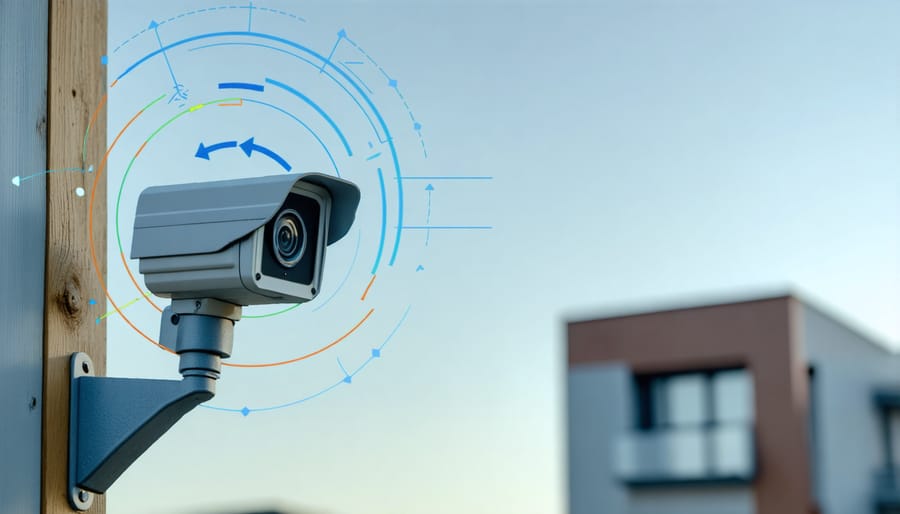
When it comes to outdoor security cameras, weather resistance and night vision are must-have features for reliable round-the-clock protection. Look for cameras with an IP65 rating or higher, which means they’re fully protected against dust and can withstand heavy rain and snow. Quality outdoor cameras are built to handle temperature extremes, from scorching summer heat to freezing winter conditions.
For night vision capabilities, most modern outdoor cameras use infrared (IR) LEDs that can illuminate areas up to 30-50 feet away in complete darkness. Some advanced models offer color night vision, providing more detailed footage after sunset. The best cameras automatically switch between day and night modes, ensuring you never miss important details regardless of lighting conditions.
Consider cameras with wide-angle night vision and adjustable IR intensity to avoid overexposure of nearby objects while maintaining clarity for distant subjects. Remember that proper placement away from reflective surfaces will help optimize your camera’s night vision performance.
Smart Home Integration and Mobile Alerts
Modern outdoor security cameras excel at smart home integration, working seamlessly with popular platforms like Alexa, Google Home, and Apple HomeKit. This connectivity enables voice commands and automated routines, such as turning on your porch lights when motion is detected.
The mobile alerts system keeps you informed wherever you are. Get instant notifications when someone approaches your door, when packages are delivered, or if unusual activity is detected. Many cameras offer customizable alert zones and schedules, helping reduce false alarms from passing cars or swaying trees.
Through dedicated apps, you can view live feeds, communicate with visitors through two-way audio, and even trigger sirens or emergency responses. Some systems also integrate with neighborhood safety networks, allowing you to share alerts with nearby residents and stay informed about local security concerns.
For added convenience, most cameras automatically save event clips to cloud storage, making it easy to review footage later or share it with authorities if needed.
Installation and Placement Strategies

Best Locations for Maximum Coverage
Strategic placement of your outdoor smart security camera is crucial for maximum coverage and effective monitoring. Start by identifying your property’s key vulnerable points: main entry points like front and back doors, first-floor windows, and the garage area should be your primary focus.
Mount cameras at a height of 8-10 feet to prevent tampering while maintaining a clear view of faces. For entryways, position the camera at a slight downward angle to capture both approaching visitors and any packages left at your doorstep. Corner mounting often provides the widest field of view, allowing you to monitor multiple areas with a single device.
Don’t forget about potential blind spots. Areas like side yards, basement windows, and utility access points are often overlooked but crucial for comprehensive security. Consider installing cameras with overlapping fields of view for complete coverage without dead zones.
For driveways and front yards, ensure your camera can capture both approaching vehicles and pedestrians. Position the device to avoid direct sunlight, which can cause glare and affect image quality. Also, keep trees and bushes trimmed to prevent them from blocking your camera’s view.
Remember to consider your Wi-Fi signal strength when choosing camera locations. For optimal performance, maintain a strong connection between your camera and router, using Wi-Fi extenders if necessary in larger properties.
Power and Internet Connection Requirements
When setting up your outdoor smart security camera, power and internet connectivity are two crucial factors that can make or break your system’s effectiveness. Most outdoor cameras offer two main power options: battery-powered or hardwired. Battery-powered cameras provide flexibility in placement and easier installation, but you’ll need to recharge or replace batteries every few months. Hardwired cameras offer constant power but require professional installation if you’re not comfortable working with electrical wiring.
For internet connectivity, a strong and stable Wi-Fi signal is essential. Your camera should be within range of your router or mesh network to maintain consistent performance. Most outdoor cameras work best with at least 2 Mbps upload speed, though 5 Mbps or higher is recommended for optimal video quality and real-time alerts.
Consider installing a Wi-Fi extender if your camera location is far from your router. Some cameras also offer cellular backup options, ensuring continued operation during internet outages. For areas with poor Wi-Fi coverage, Power over Ethernet (PoE) cameras provide both power and internet connection through a single cable, offering superior reliability.
Remember to position your camera within reach of a power outlet if hardwiring, and test Wi-Fi signal strength at the intended location before permanent installation. Some manufacturers also offer solar panel attachments, providing a sustainable power solution for well-lit areas.
Privacy and Security Best Practices
Data Protection and Storage Options
When it comes to storing your security camera footage, you have two main options: local storage using microSD cards or cloud-based solutions. Local storage gives you complete control over your data, but you’ll need to manage storage space and backup your footage manually. Cloud storage, while usually requiring a subscription, offers convenient remote access and automatic backup of your recordings.
To protect your family’s privacy, look for cameras with strong encryption protocols and two-factor authentication. Many leading brands use bank-grade encryption to secure your video feeds and stored footage. Additionally, check if the camera allows you to set up privacy zones, which block out specific areas from recording, like your neighbor’s windows or private spaces.
Consider cameras that offer local processing for motion detection and basic analytics, reducing the amount of data sent to the cloud. Some models even include built-in storage options that automatically overwrite old footage when space runs low. Remember to regularly update your camera’s firmware and use strong, unique passwords for your accounts to maintain optimal security.
Neighbor Privacy Considerations
When installing outdoor security cameras, it’s crucial to be mindful of your neighbors’ privacy rights while maintaining your home’s security. Position your cameras to primarily monitor your property, avoiding direct views into neighboring windows, doors, or private spaces. Consider using privacy zones or masking features available in many smart cameras to block out sensitive areas from recording.
Communicate openly with your neighbors about your security system installation. Let them know your intentions and address any concerns they might have. This proactive approach helps maintain good relationships and prevents potential conflicts. If your camera’s field of view must partially include neighboring property, adjust the angle to minimize overlap and inform affected neighbors.
Be aware of local privacy laws and regulations regarding security camera placement. Some jurisdictions have specific requirements about where cameras can be positioned and what they can record. Consider using warning signs to inform visitors that the area is under video surveillance.
For shared spaces like apartment buildings or townhouse complexes, consult with your homeowners association or property management before installation. Remember, good security shouldn’t come at the expense of others’ privacy rights.
Maintenance and Troubleshooting Tips
Seasonal Maintenance Schedule
Keeping your outdoor smart security camera in top condition requires different maintenance approaches throughout the year. In spring, focus on cleaning winter residue from the camera lens and housing using a soft microfiber cloth. Check for any water damage from melting snow and ensure all seals are intact. Trim back any new plant growth that might obstruct the camera’s view.
Summer maintenance involves checking that the camera hasn’t been affected by intense heat or direct sunlight. Clean off any pollen or dust build-up weekly, and verify that cooling vents aren’t blocked. If your camera uses solar power, clean the solar panels monthly for optimal charging.
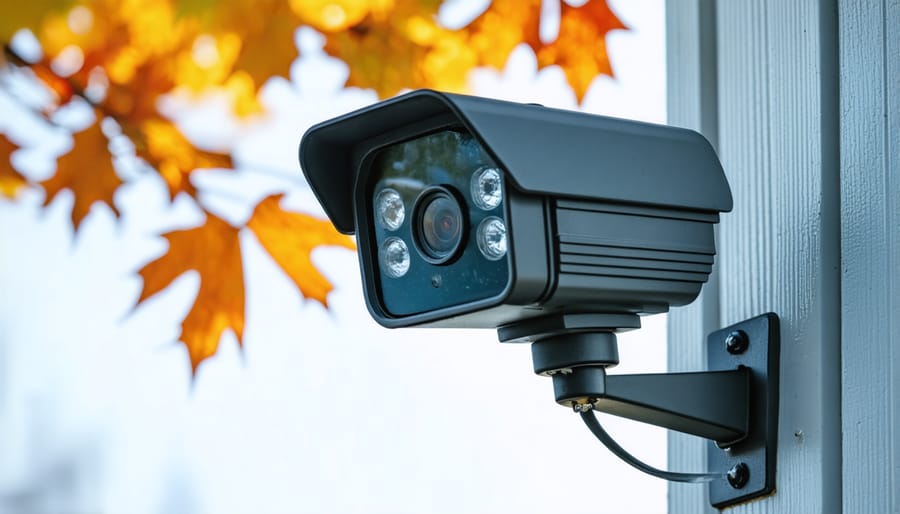
Fall requires more frequent cleaning due to falling leaves and debris. Check that spider webs aren’t blocking the lens or motion sensors. Before winter, ensure all weatherproof seals are secure and working properly.
In winter, regularly remove snow and ice build-up from the camera housing. Keep power cables free from ice accumulation, and adjust motion sensitivity settings to account for harsh weather conditions. Remember to test night vision functionality more frequently during shorter daylight hours.
Common Issues and Quick Fixes
Having trouble with your outdoor smart security camera? Here are some common issues and their quick fixes to get your system back up and running smoothly.
If your camera keeps going offline, first check your Wi-Fi signal strength. Moving your router closer or installing a Wi-Fi extender often solves connectivity problems. For cameras that won’t power on, ensure the power cable is securely connected and try a different outlet to rule out electrical issues.
False motion alerts can be frustrating. Adjust your camera’s sensitivity settings and make sure branches, flags, or other moving objects aren’t in the camera’s field of view. If night vision is poor, clean the camera lens and IR sensors with a soft, dry cloth.
Battery-powered cameras draining too quickly? Lower the motion detection sensitivity, reduce clip length, or adjust the recording frequency. For cameras showing choppy or delayed footage, try reducing the video quality settings or ensuring your internet speed meets the minimum requirements.
If these quick fixes don’t help, most manufacturers offer excellent customer support through their apps or websites.
When to Call a Professional
While many outdoor smart security cameras are designed for DIY installation, certain situations call for professional assistance. If you’re uncomfortable working with electrical wiring or need to install cameras at challenging heights, it’s best to contact a security expert. Professional help is also recommended when integrating multiple cameras into a complex home automation system or when dealing with advanced network configurations.
Consider calling a professional if your installation requires drilling through concrete or masonry, running cables through walls, or setting up a dedicated power supply. Additionally, if you’re planning a comprehensive security system with multiple cameras covering blind spots and specific zones, a security consultant can help optimize camera placement for maximum coverage.
Experts are particularly valuable when you need to comply with local regulations, especially in areas with strict surveillance laws or homeowner association guidelines. They can ensure your setup meets all requirements while maintaining optimal functionality. For commercial properties or large estates, professional installation is often the safest and most efficient choice.
Installing and maintaining an outdoor smart security camera is a significant investment in your home’s safety and peace of mind. Throughout this guide, we’ve explored the essential features, installation requirements, and best practices that will help you make informed decisions about your security setup.
Remember that successful implementation depends on careful planning, from choosing the right location and power source to ensuring proper connectivity and weather protection. Regular maintenance, including cleaning the lens, updating firmware, and checking connections, will keep your camera functioning optimally year-round.
Privacy considerations should remain a top priority – always follow local regulations, inform neighbors when necessary, and regularly review your camera’s security settings. While smart security cameras offer impressive features like motion detection, night vision, and smartphone integration, their effectiveness ultimately relies on proper setup and ongoing attention.
By following the guidelines we’ve discussed, you can create a robust outdoor security system that protects your property while respecting privacy boundaries. Don’t forget to periodically review your camera’s placement and settings to ensure they continue meeting your security needs as seasons change and your property evolves.
With proper care and attention, your outdoor smart security camera will serve as a reliable guardian for your home, providing the surveillance and peace of mind you seek while deterring potential security threats.